WINTER - SPRING 2025
Grey Matters Journal - Improving Article Searching & Reading Experience
My Role
Prototyping, Visual Design, User Research, Analytics
Timeframe
Dec '24 - June '25
(21 weeks)
CONTEXT
Redesigning Grey Matters Journal for accessible science
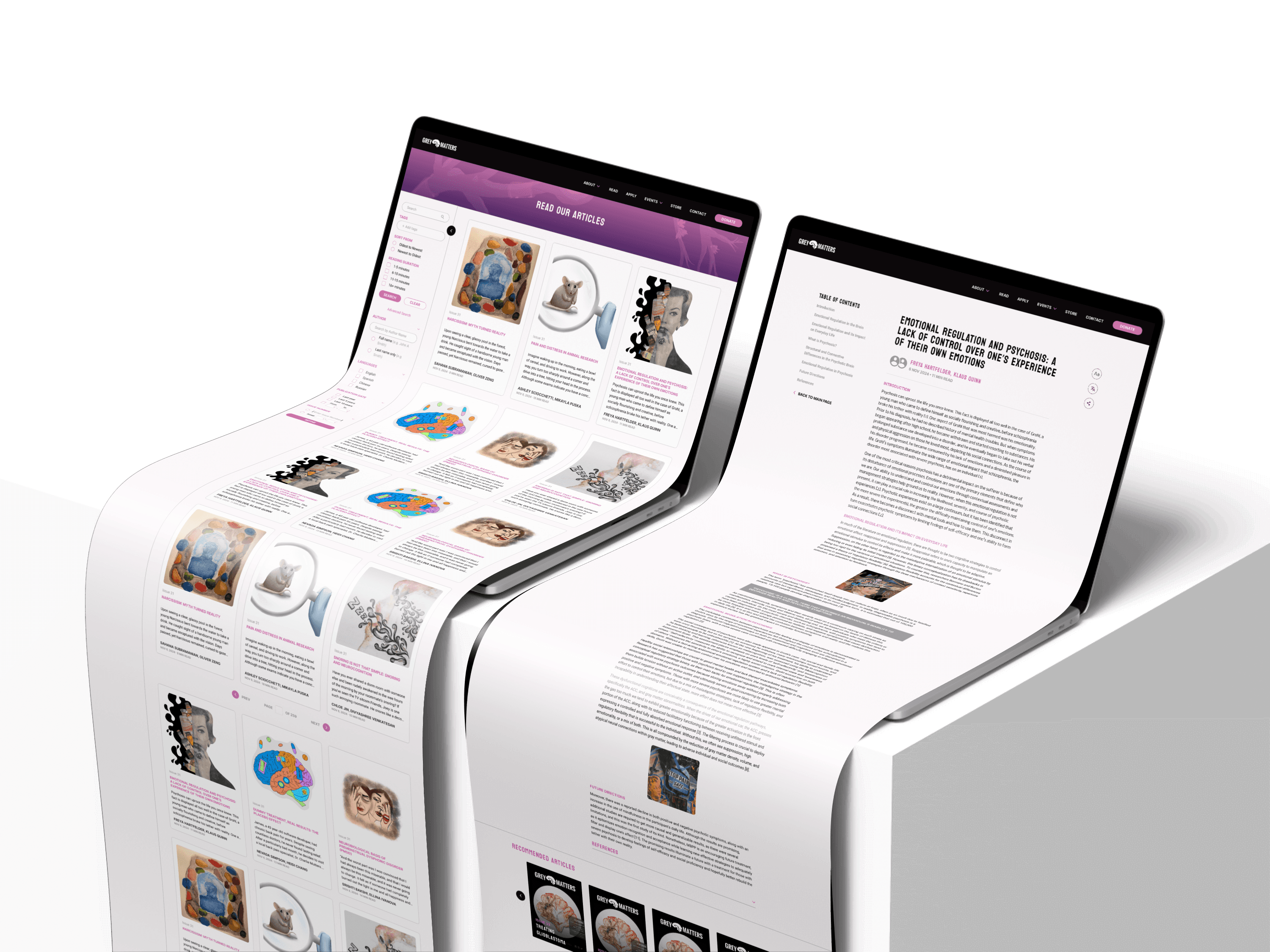
Grey Matters Journal is a student-led neuroscience outreach organization at the University of Washington that believes science education should be accessible to everyone. One of their core initiatives is a free, high-quality quarterly journal that brings neuroscience to the public.
As a UX Designer, I led the end-to-end redesign of the journal’s homepage to better support this mission, creating a more intuitive way for readers to discover, navigate, and engage with 400+ neuroscience articles.
RESULT
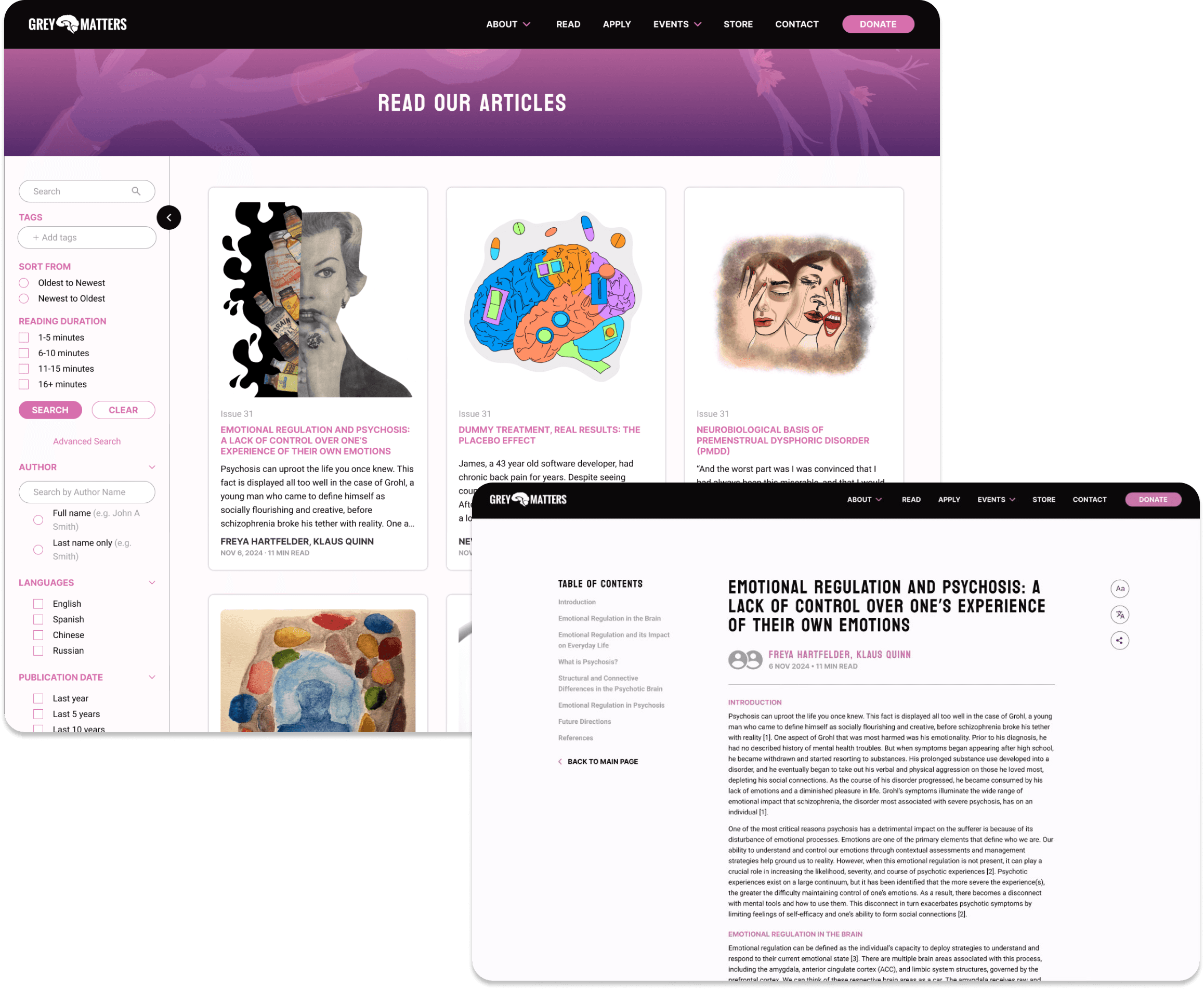
A well-designed article search homepage and reading page that fosters navigation, accessibility, and reader retention
After the redesign, user navigation and satisfaction increased by 10%, supporting Grey Matters’ mission to make neuroscience knowledge more accessible and engaging.
The updated experience encourages audiences to explore more articles and understand scientific concepts in a clearer, more intuitive way.
We achieved a 10% increase in user navigation and searching efficiency during A/B testing.
KICKOFF
Grey Matters’ reading platform wasn’t reaching its full potential
The platform’s current design made it difficult for readers to filter, navigate, and locate specific articles, which meant it failed to be intuitive for key users—including the general public, students, prospective members, and club leadership. It also lacked a coherent branding and user flow, and its content was not fully accessible, limiting the platform’s reach and the effectiveness of Grey Matters’ mission.
As I ran a UX audit, I identified some pain points that make it harder for users to find what they need, including
Current Experience
⚠️
The site relies heavily on the search bar, and users can only search articles by title.
⚠️
There are no filtering options available, which makes it difficult for readers to narrow down their search.
⚠️
The current browsing pattern is locked into a horizontal carousel, which creates unnecessary friction and discourages deeper exploration.
These limitations create fatigue, reduce accessibility, and make it harder for both new and experienced readers to find what they are looking for.
DEEPER INSIGHTS - SURVEY RESULTS
Strong Reading Intent, Weak Discoverability
To test my hypothesis, we conducted a quick survey with 18 users consisting of students and leadership team members. While time constraints limited the depth of the survey, the key takeaway supported our hypothesis: there is a clear opportunity to improve the article-searching experience by providing better guidance and more intuitive categorization.
Insight 1
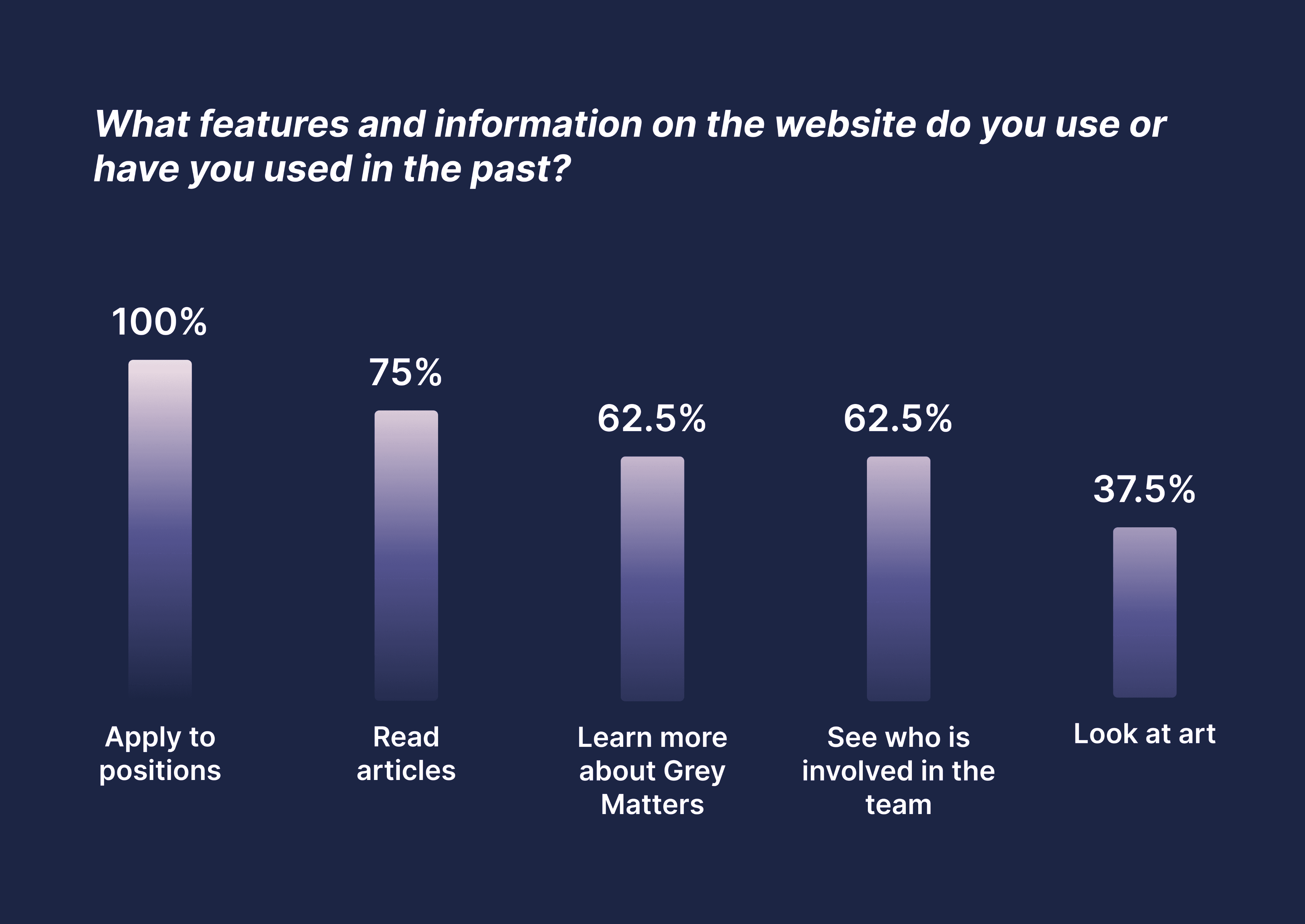
Most users want to read articles every time they visit grey matters’ website
Articles section is crucial to satisfy users’ needs to read more about neuroscience
Insight 2
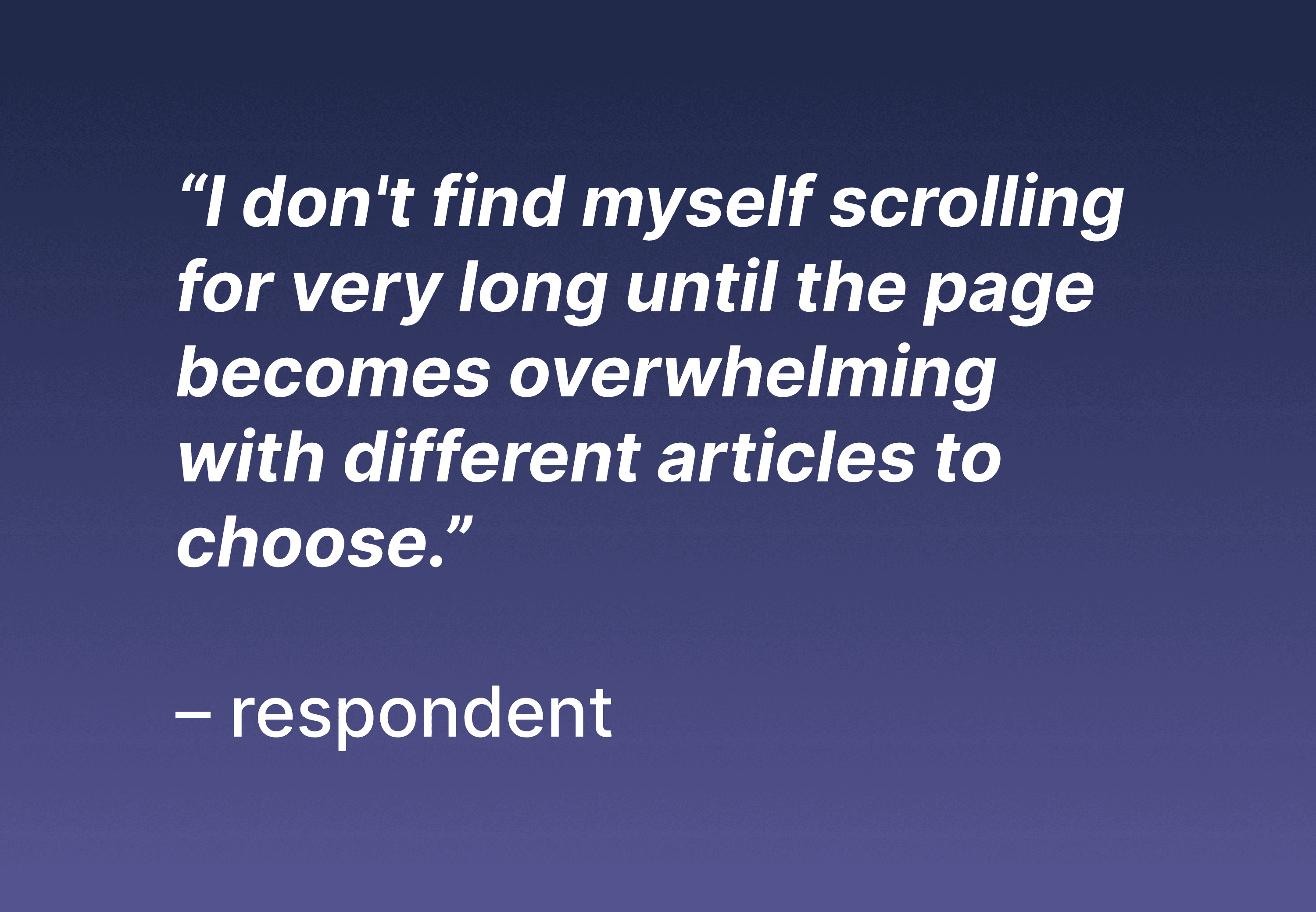
Readers feel fatigue and overwhelmed when browsing articles
We need to reduce user fatigue by reorganizing and rearranging articles. This makes advanced searching and categorization features crucial.
Overall, the findings show that while users come to Grey Matters primarily to read neuroscience articles, the current disorganized structure creates fatigue, reduces accessibility, and makes it difficult for both new and experienced readers to find what they need, which supports my hypothesis.
PROBLEM STATEMENT
The pieces we gathered from UX audit and survey helped us to identify the main problem we need to solve
How might we improve navigation of the article-searching experience so that it also enhances the reading experience among users from all backgrounds?
USER JOURNEY MAP
Declutter the Experience to Support Confident Discovery
To start, I identified a diverse range of users with different levels of experience and familiarity with searching for articles. Since Grey Matters’ mission is to make neuroscience fun and accessible to everyone, it was essential to focus on both novice and experienced readers who rely on the journal for exploration.
To better understand these users, I created personas and mapped their end-to-end journey from searching to finishing an article. Through this process, I uncovered two core pain points: difficulty finding specific articles due to limited categorization and wasted time trying to understand content at a quick glance.
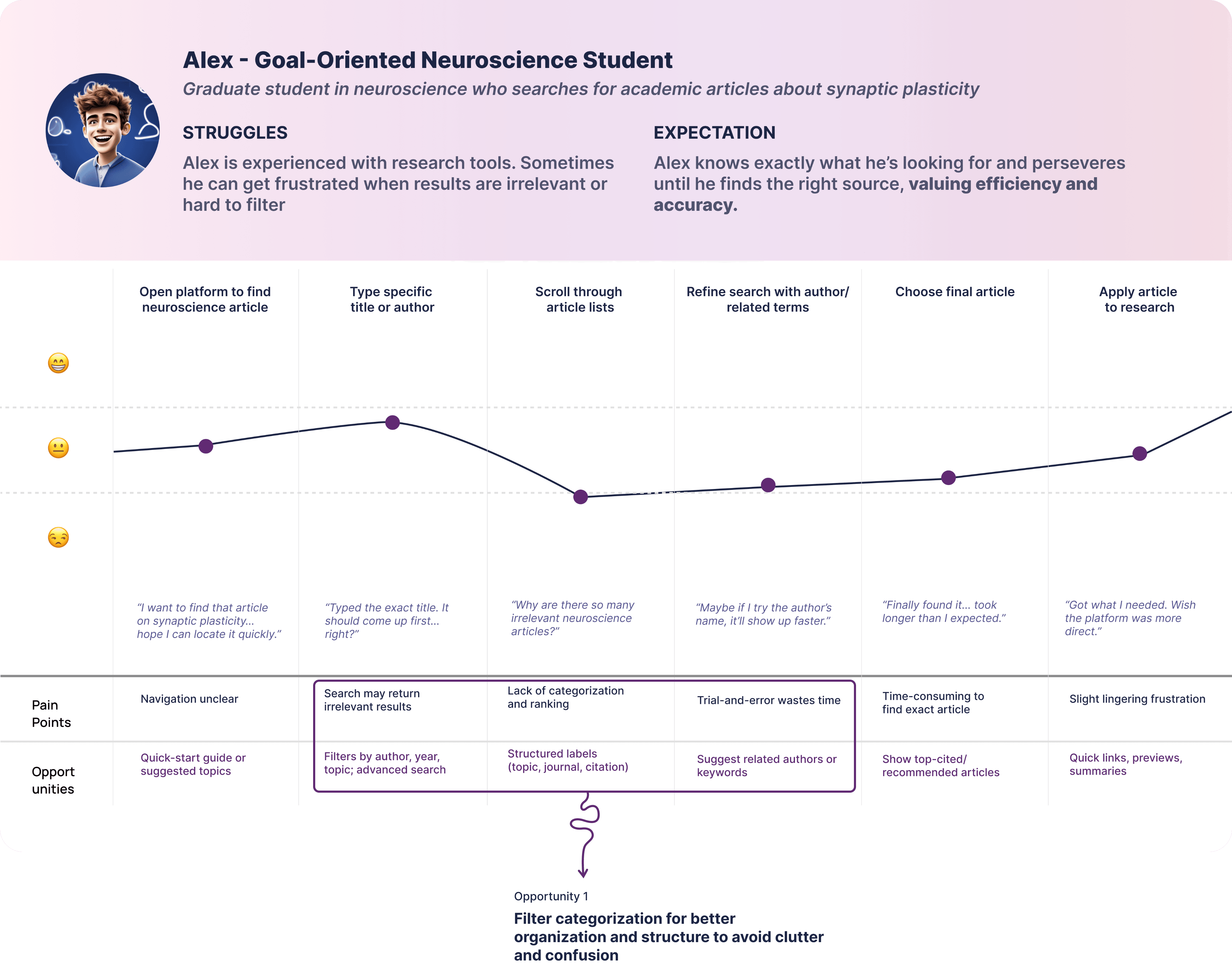
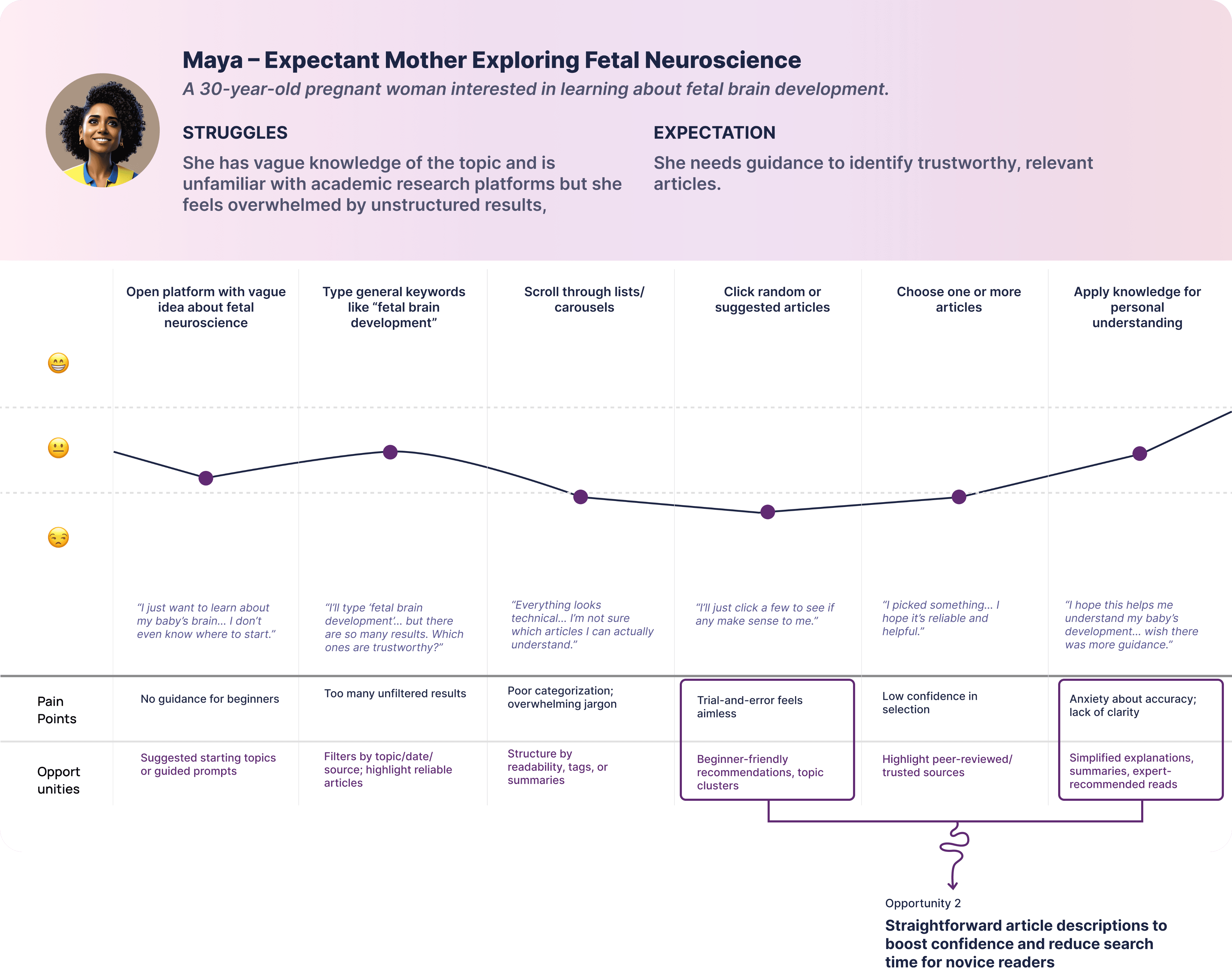
These insights reveal a strategic opportunity to transform the article-searching experience by by reducing user fatigue, offering better guidance, enabling more intuitive categorization, and creating a reorganized article structure that supports readers’ strong desire to explore neuroscience content.
USER FLOW
Exploring Beyond the Expected Flow
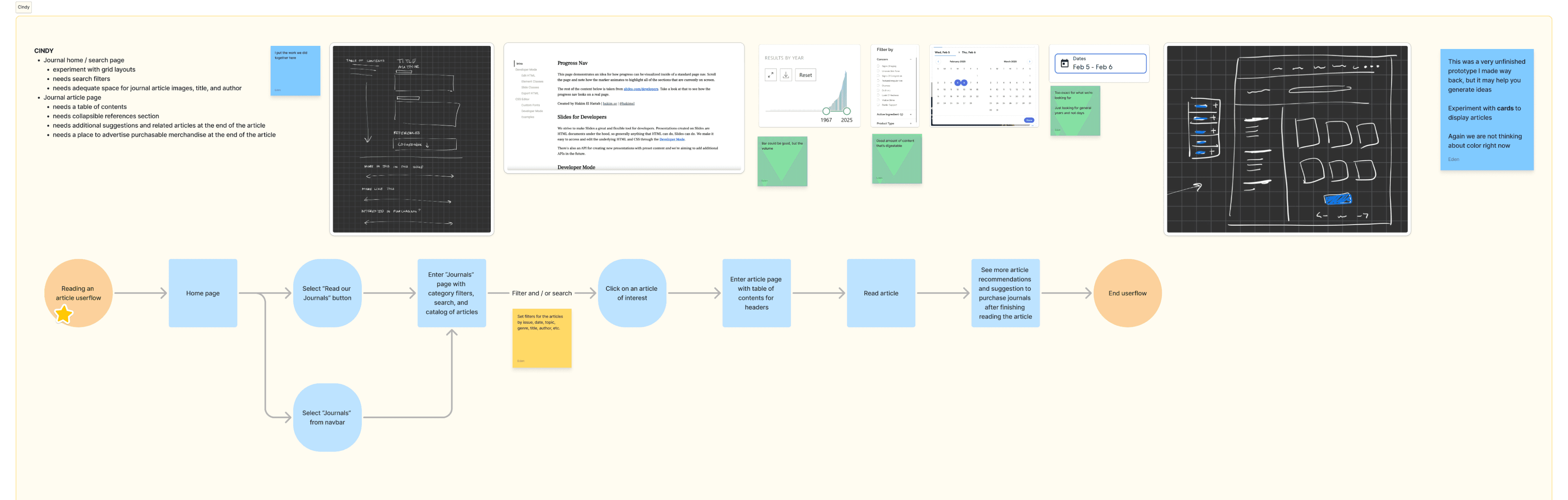
I wanted to understand the bigger picture by identifying core pain points while also visualizing the overall end-to-end flow. Since our goal was to improve how users find articles, this required redefining the flow from searching to reading.
Through user flow, I figured out that it was also important to consider a seamless reading experience, as enhancing this would further support Grey Matters’ mission by encouraging user retention and motivating readers to return and explore more articles.

DESIGN GOALS
FROM CONCEPT TO CLARITY
After gathering the user pain points and identifying key design opportunities, it was time to wrap up the research phase by defining our design goals. I wanted to ensure to combine solutions/opportunities that address user problems while staying aligned with Grey Matters’ mission, which includes

Enhance navigation across both the searching and reading experience to reduce user fatigue and increase overall engagement.
Improve accessibility to ensure all users have an equally intuitive navigation experience and an enjoyable, inclusive reading journey.
Ensure consistent visual branding and design system to align with Grey Matters’ goals and support developers in reducing implementation risks.
Key Features
By synthesizing user insights, secondary research, the distinct needs of our two main user groups, and our chosen design direction, I identified the following key features as critical to the product, including
Organized and structured filters
For an easier, more straightforward article-searching process
Neat and well-organized article layouts
Providing context about the articles, avoiding reader overwhelm
Accessible, inclusive, and seamless experiences
Across the article-reading platform
IDEATION
Exploring Beyond the Expected Flow
I wanted to understand the bigger picture by identifying core pain points while also visualizing the overall end-to-end flow. Since our goal was to improve how users find articles, this required redefining the flow from searching to reading.
Through user flow, I figured out that it was also important to consider a seamless reading experience, as enhancing this would further support Grey Matters’ mission by encouraging user retention and motivating readers to return and explore more articles.
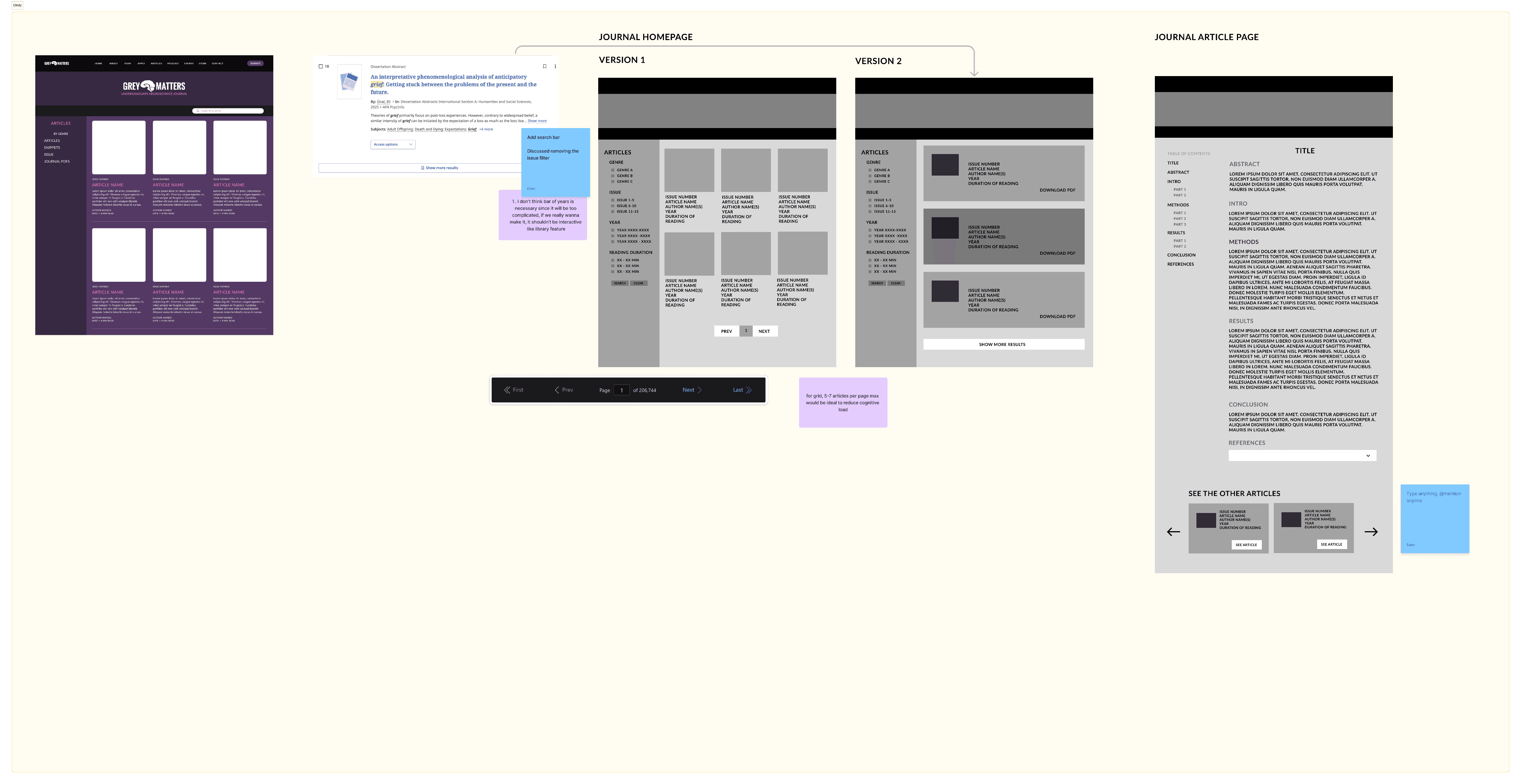
WIREFRAMING, WIREFRAMING, AND WIREFRAMING (THE FUN PART!!)
01. Visualizing the Article Home Page
VERSION 1
Article home page layout
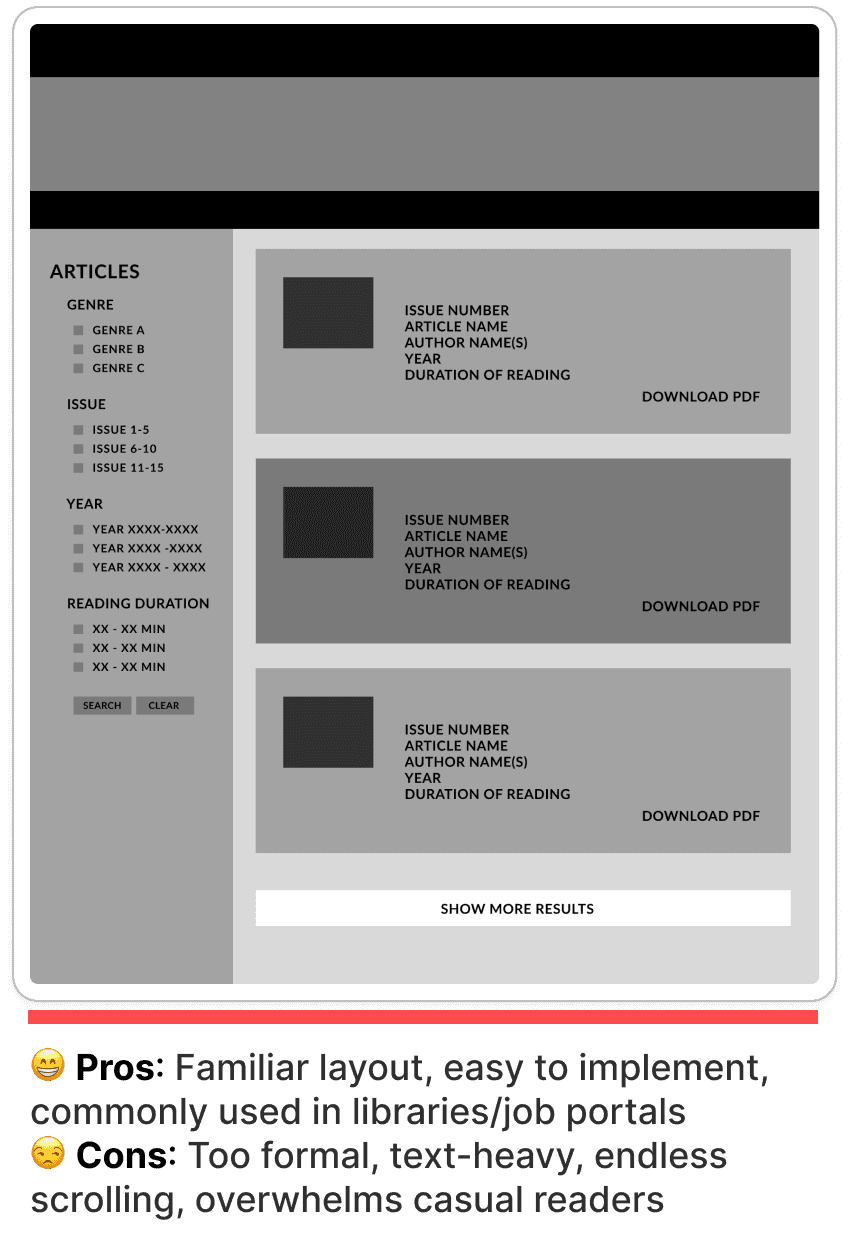
To start, I prioritized defining the journal’s layout. I initially considered a row-style grid since it’s familiar to users. However, references from online libraries and job portals showed that this format often feels too formal, text-heavy, and scroll-intensive, potentially overwhelming readers who only need key details to spark interest.
Body section
Idea 1
Idea 2
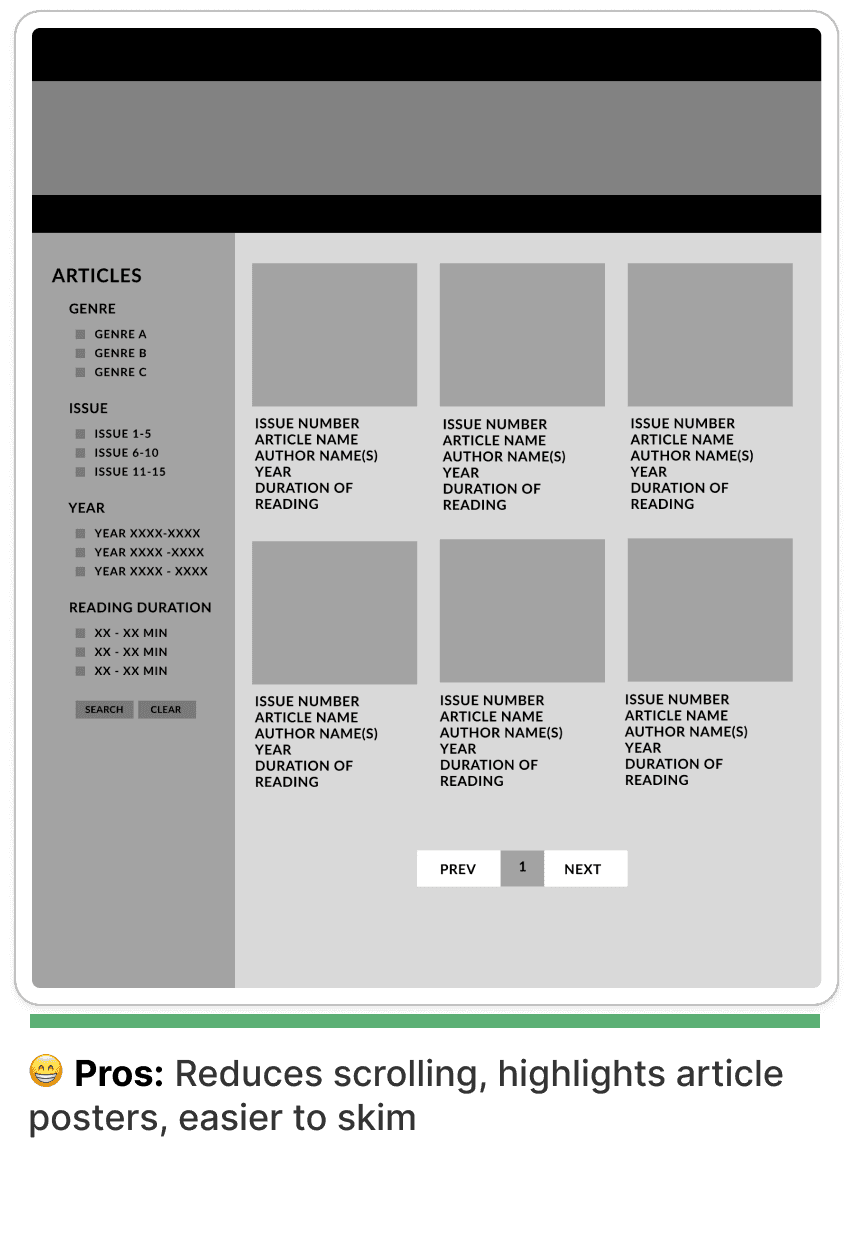
I chose to go with Idea 2
Reasons:
The bento & modular grid style avoids excessive information and scrolling, creating a cleaner, less overwhelming browsing experience.
Effectively showcases article posters, enhancing visual appeal and drawing readers into the content.
VERSION 2
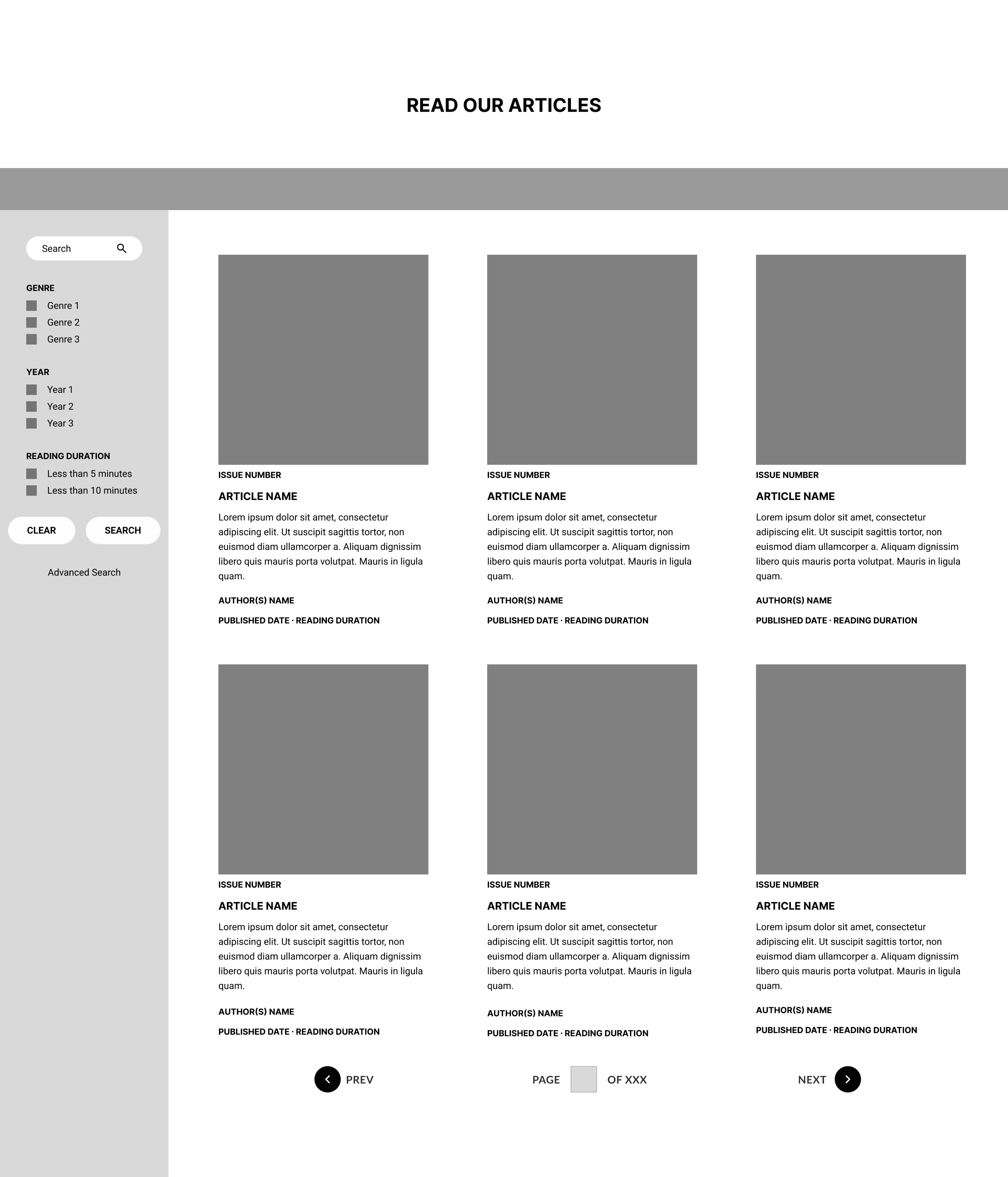
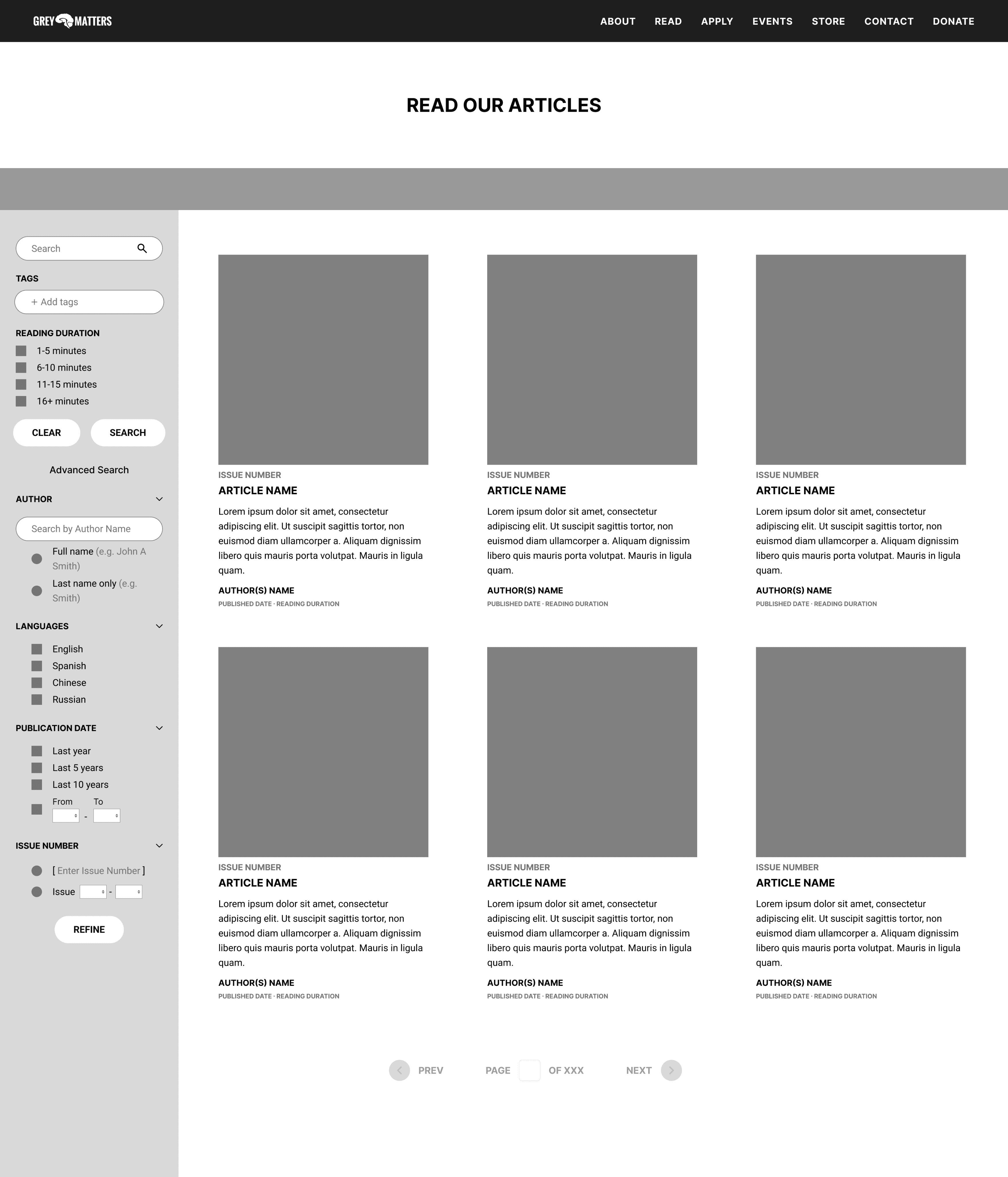
Optimizing Sidebar Filter
Next, we shifted our focus to the filter box, a key element for improving navigation and article discovery. Our challenge was balancing the needs of expert readers; with deeper scientific backgrounds, and general readers who prefer simpler, more intuitive options.
To guide our decisions, I framed multiple usage scenarios. By mapping these scenarios, I was able to identify and prioritize filter components based on readers’ needs and experience levels, ensuring the filter system supports both expert and novice users effectively.
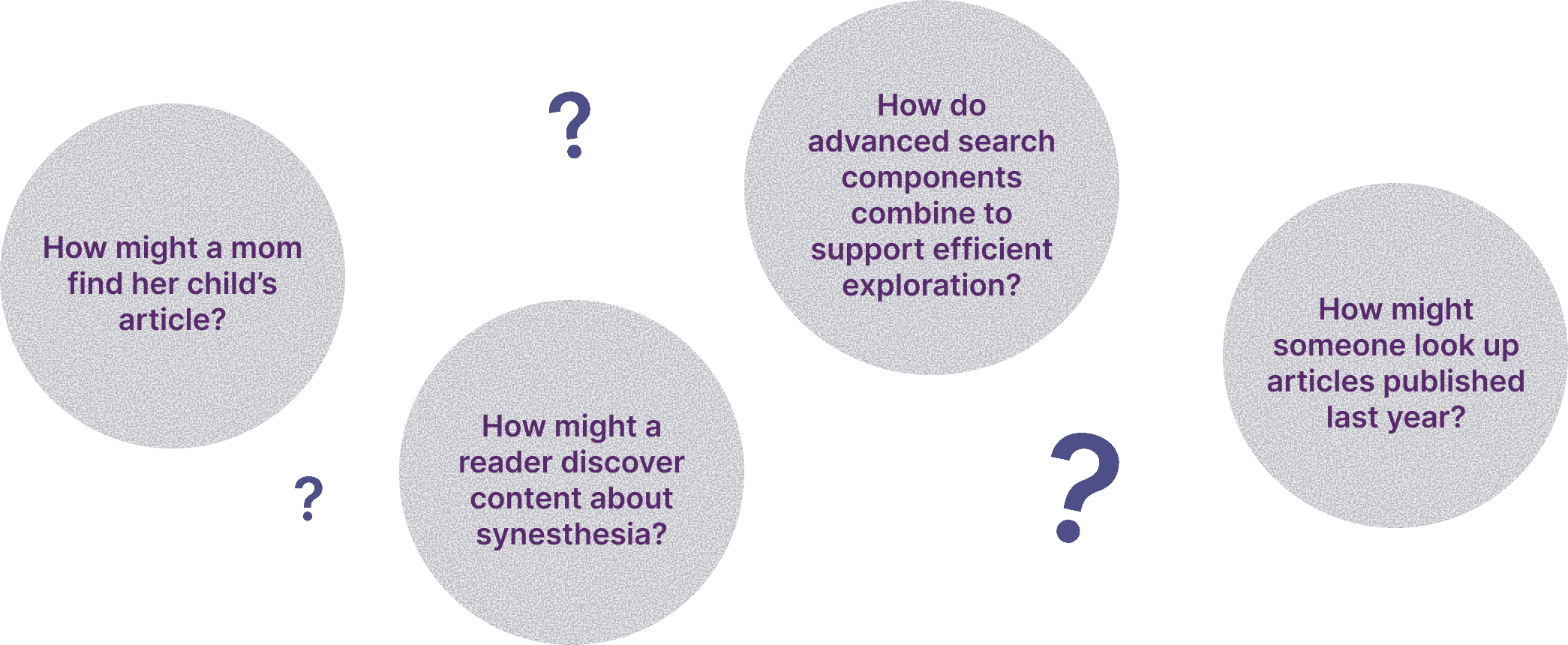
By visualizing different scenarios, I realized the filter components needed to strike a balance; supporting novice users with simple, non-overwhelming options while still providing advanced readers with the depth they need for detailed article searching.
Novice Readers
General search
For broad, quick navigation without requiring detailed input
Experienced Readers
Advanced search
For users who need more precise results, such as filtering by date range, tags, or research focus.
Evolution of Sidebar Filter
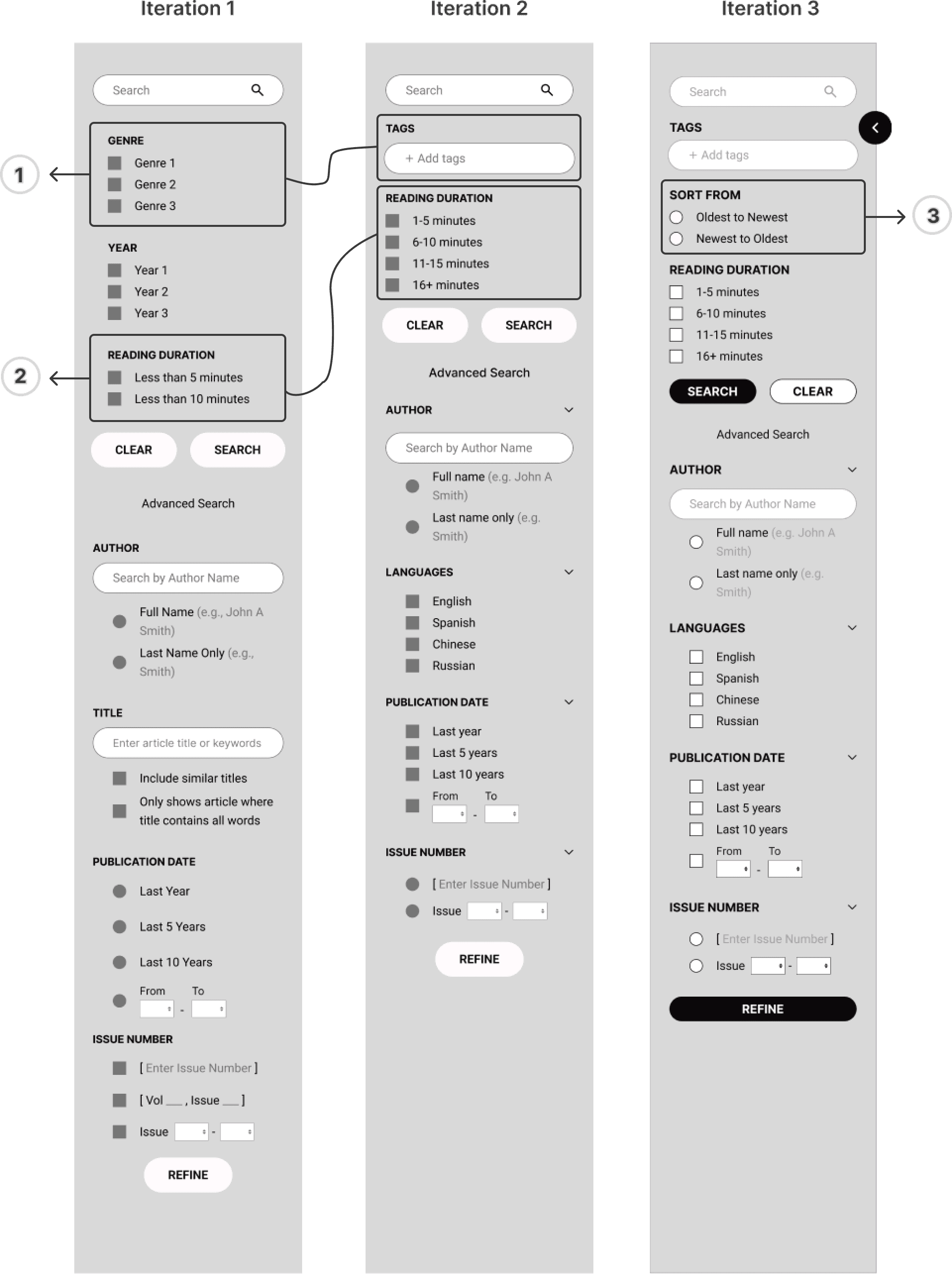
Critical iteration changes, including

Keywords are more relevant than genres when starting research
After feedback from my lead, we realized readers usually already know the content they want, so keywords are more relevant than genres when starting a search.

Time ranges improve usability
Exact reading times felt too rigid and difficult for users to choose from, so switching to time ranges made selection simpler while keeping article results better organized on the backend.

Introduce quick date sorting
Allowed general readers to sort by newest → oldest or oldest → newest
Let's connect the dots
Evolution of Article Homepage
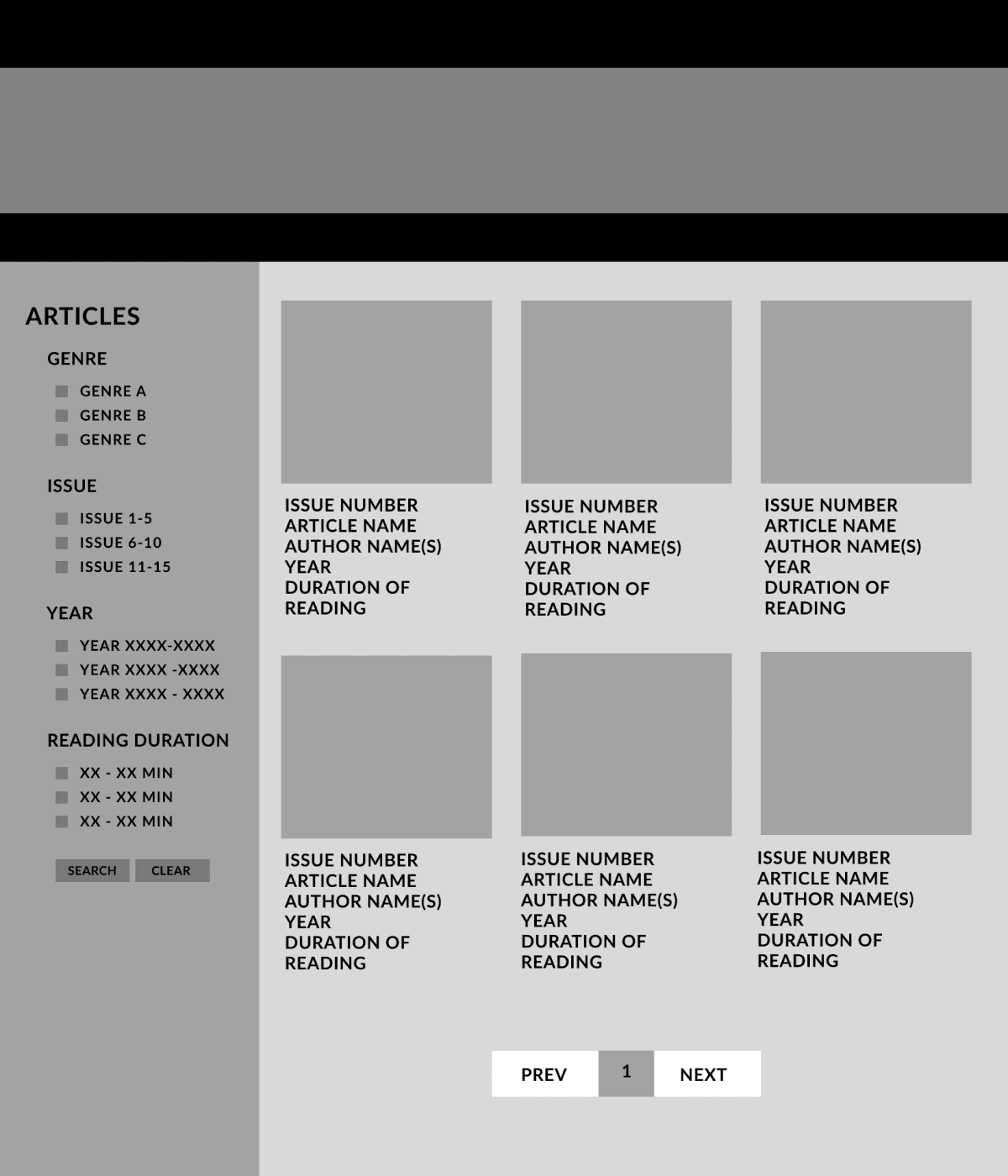
02. Optimizing Seamless Reading Experience
VERSION 1
Embracing Accessibility & Inclusivity in One package
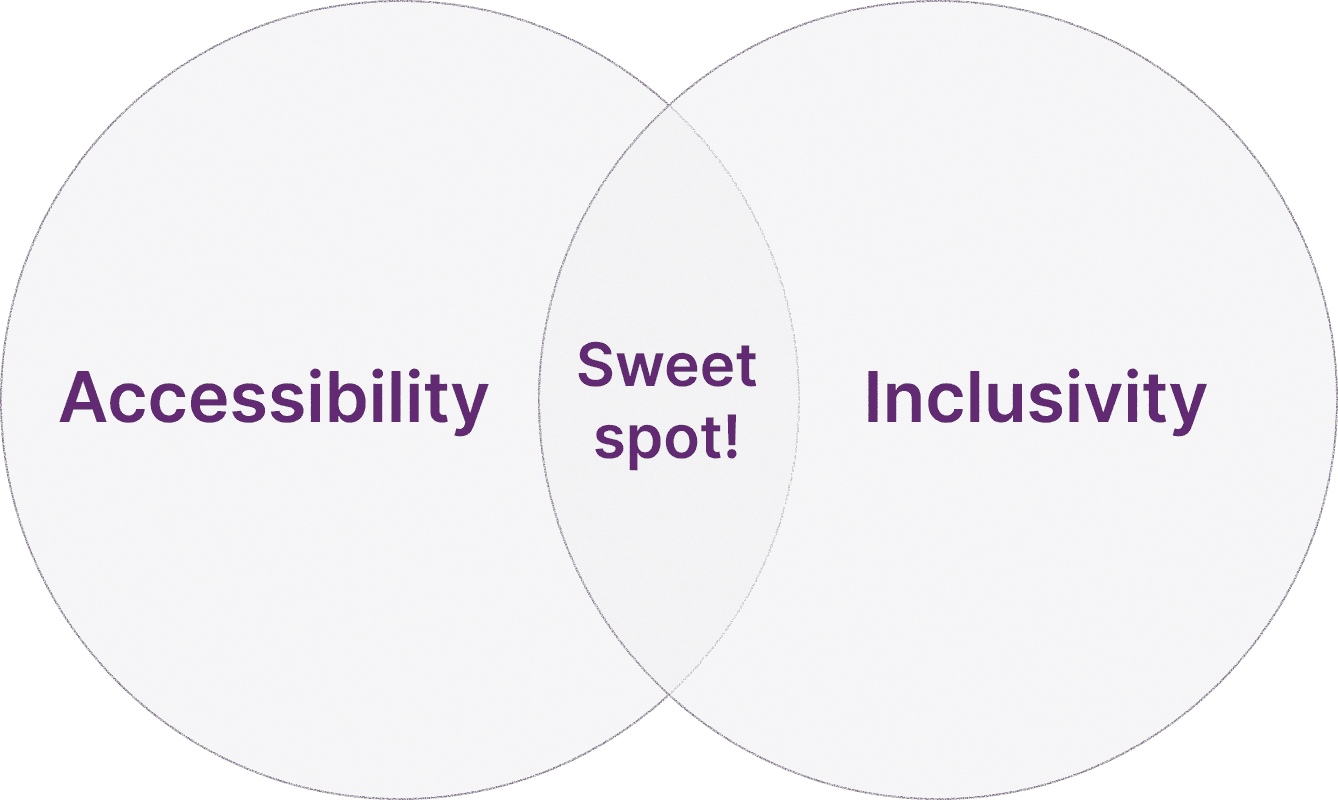
During testing, students and leadership highlighted the need for multilingual reading. This led us to rethink inclusivity and accessibility as a unified goal for creating a more accessible reading experience.
Inclusivity ensures readers from diverse backgrounds can engage with the content, while accessibility ensures that their experience remains comfortable, intuitive, and barrier-free.
By combining the two, we were able to design a reading environment that not only accommodates users’ needs but also respects their identities and linguistic preferences.
Key Features Explored
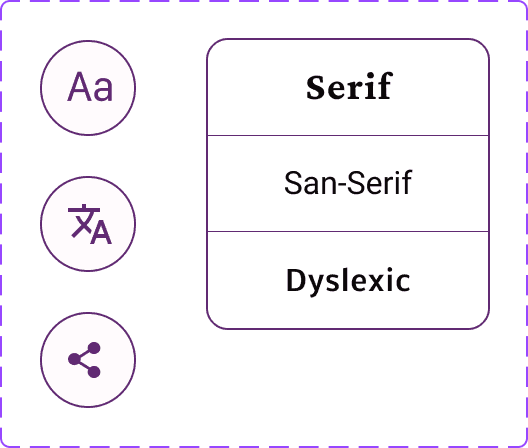
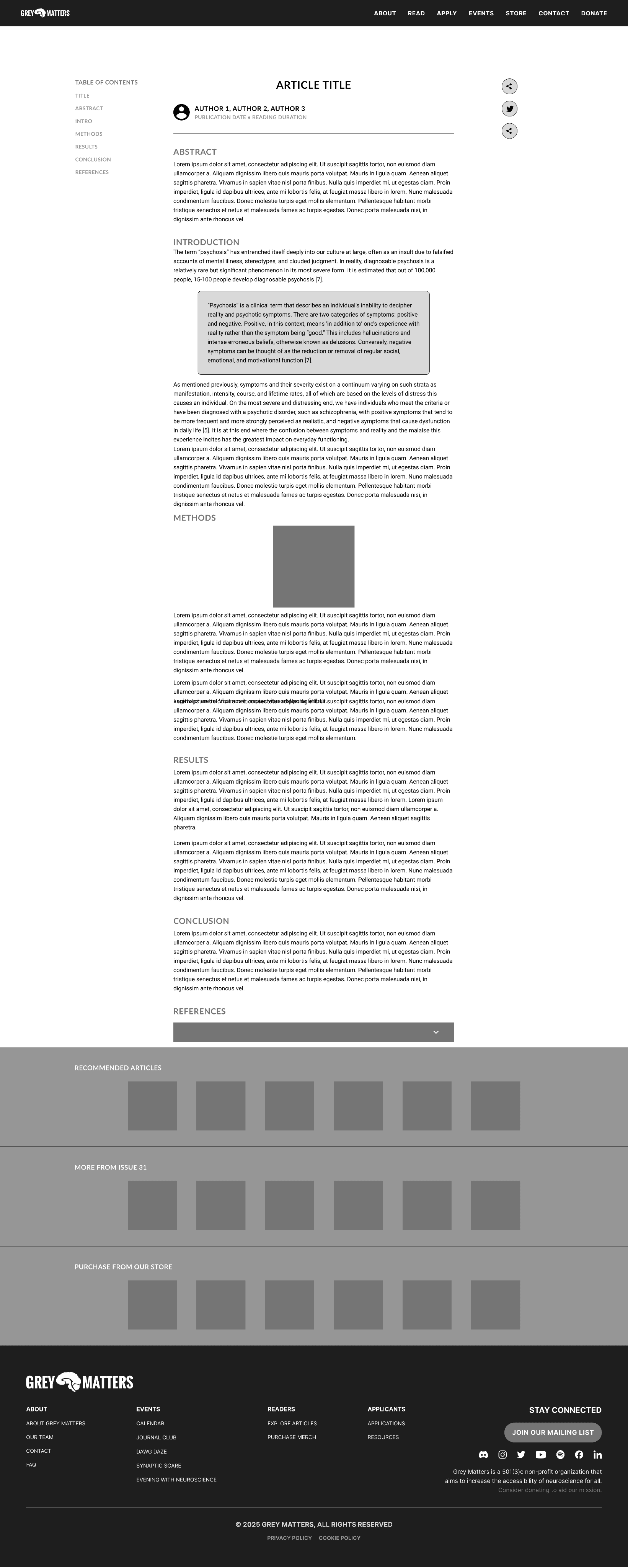
To give readers control over their reading experience, we introduced a toggle feature that allows users to switch both language and font seamlessly, which ensure personalization without overwhelming the interface.
Through font exploration and comparison, we selected a typeface that balanced readability with a relaxed feel, providing adequate spacing and clear letter distinctions.

Standard
Neutral and familiar, suitable for general readability.

Professional
More formal tone, inspired by digital news and magazines

Dyslexic-friendly
Balanced spacing, clean letterforms, lightweight and modern design.
VERSION 2
Motivating Readers to Keep Exploring
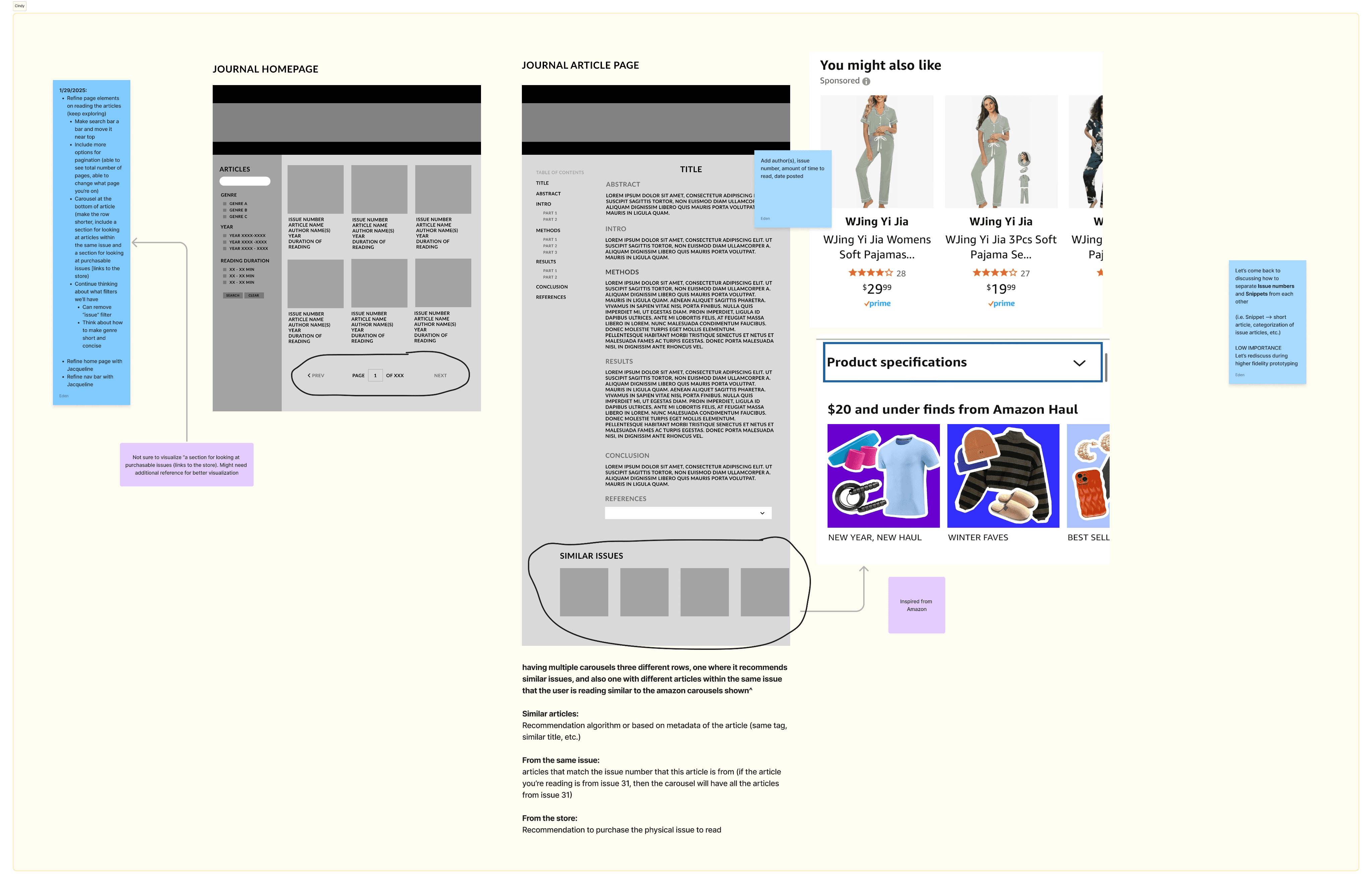
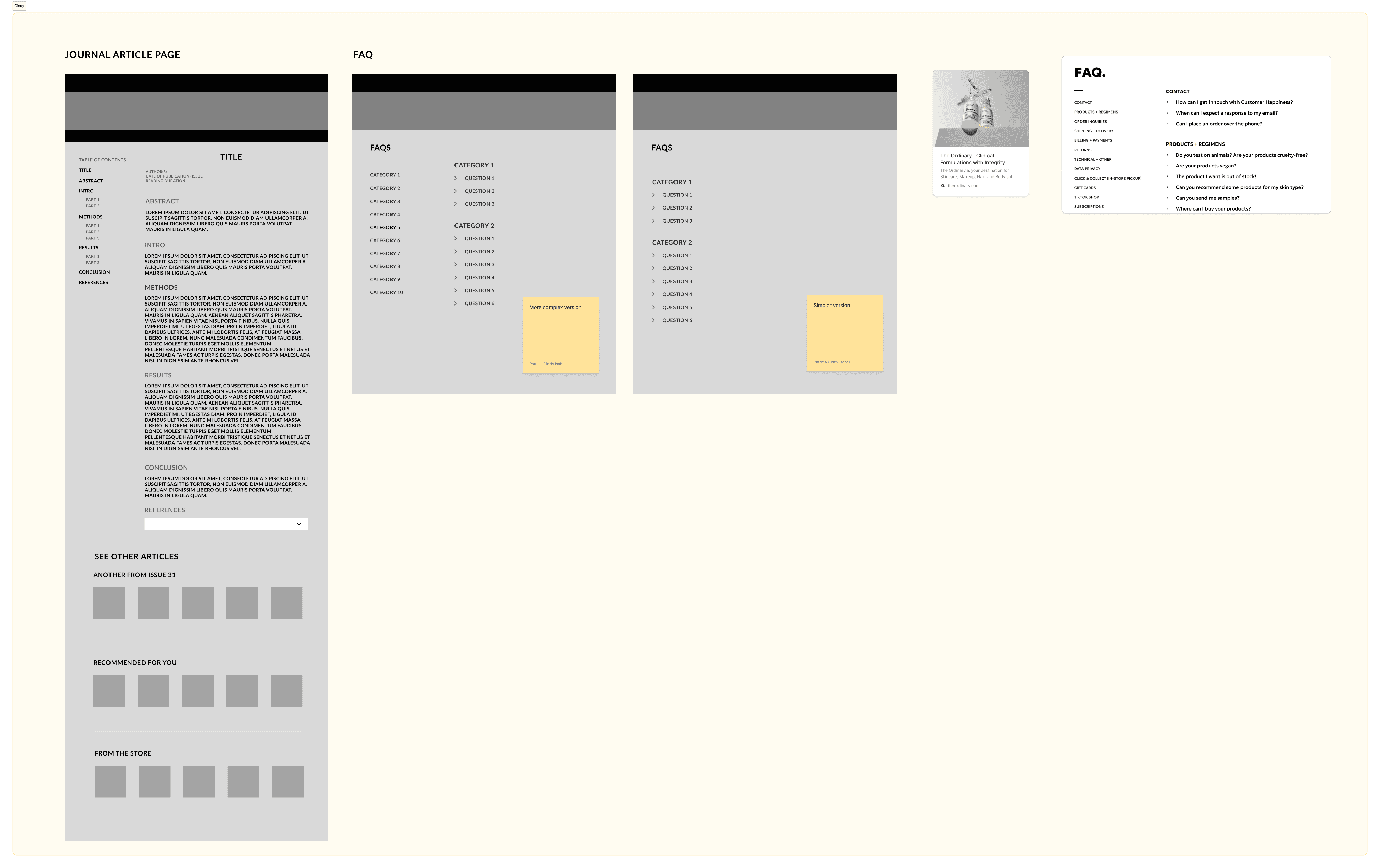
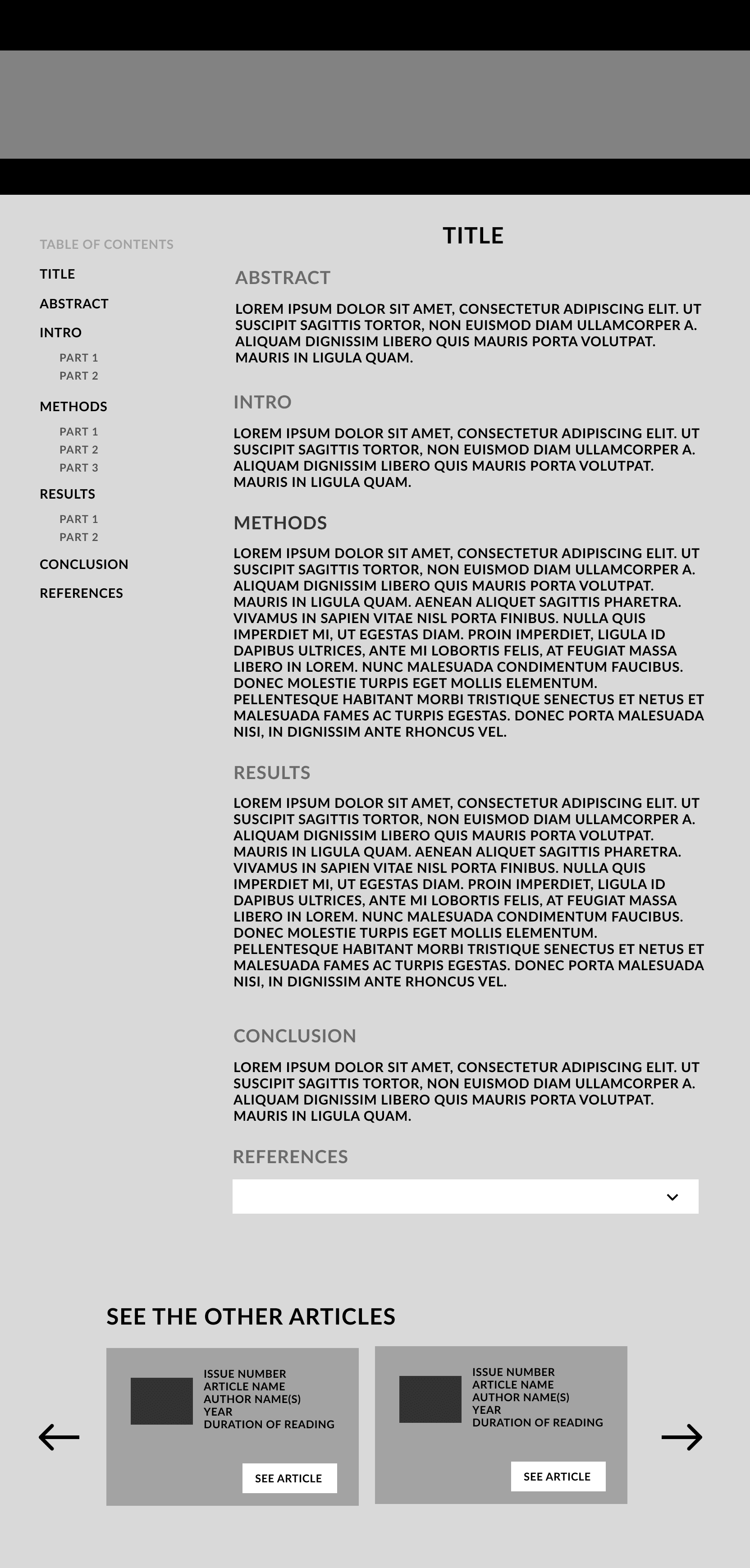
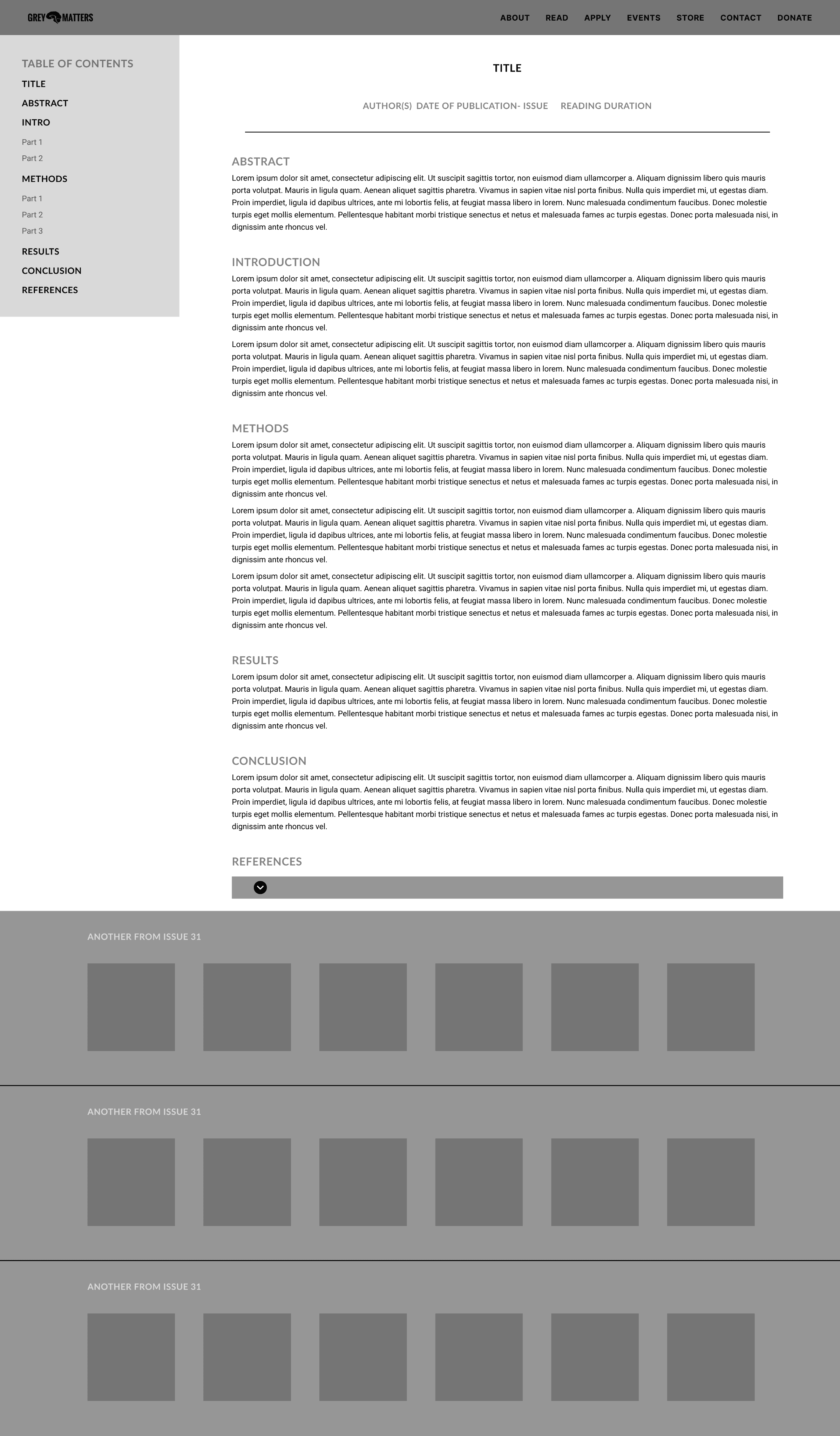
As one of the goals is to continue the searching–reading loop, keeping users engaged and reading more articles became our main strategy. Therefore, I proposed adding article recommendations at the end of each reading session so users could easily explore related content.
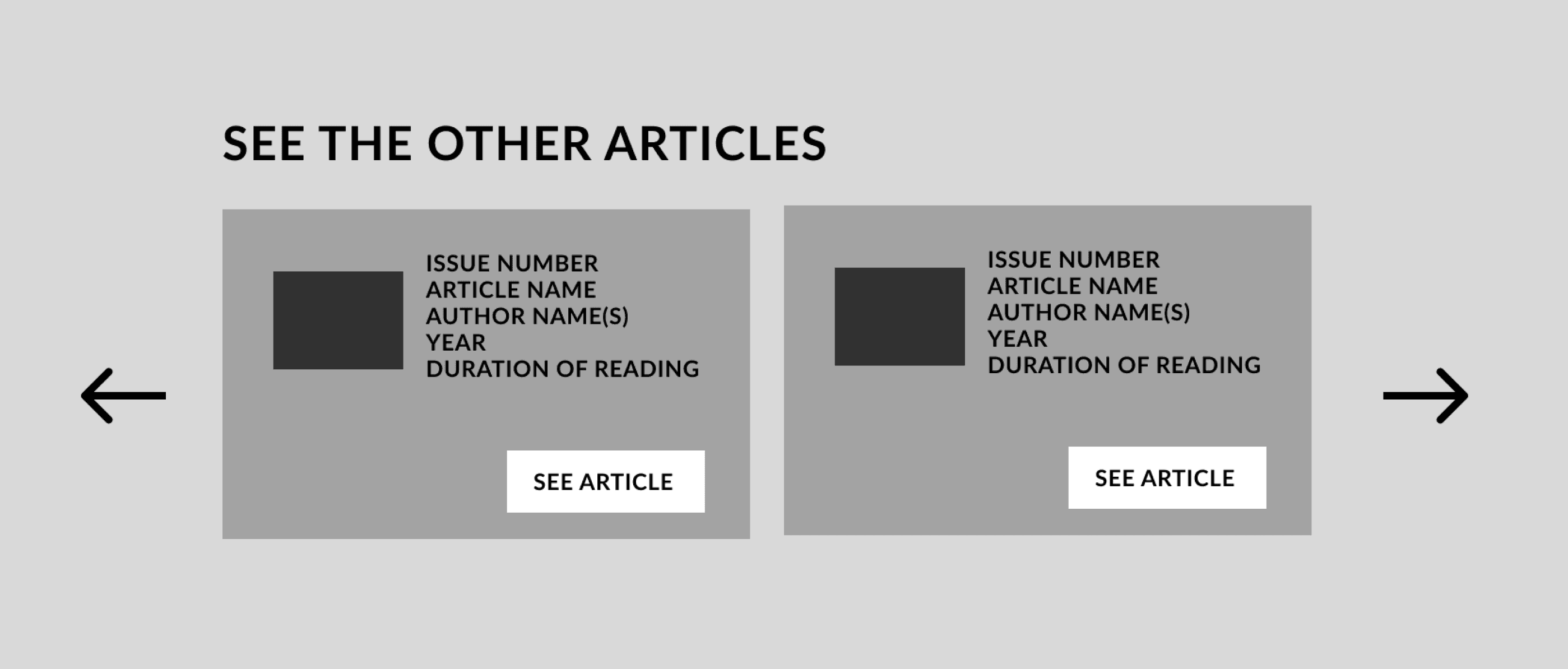
I initially suggested a single carousel with list of article information with an intent to keep minimal space, but later on I figured that strong visuals attract users more effectively than text-heavy layouts.
Carousel's Evolution
Before
After
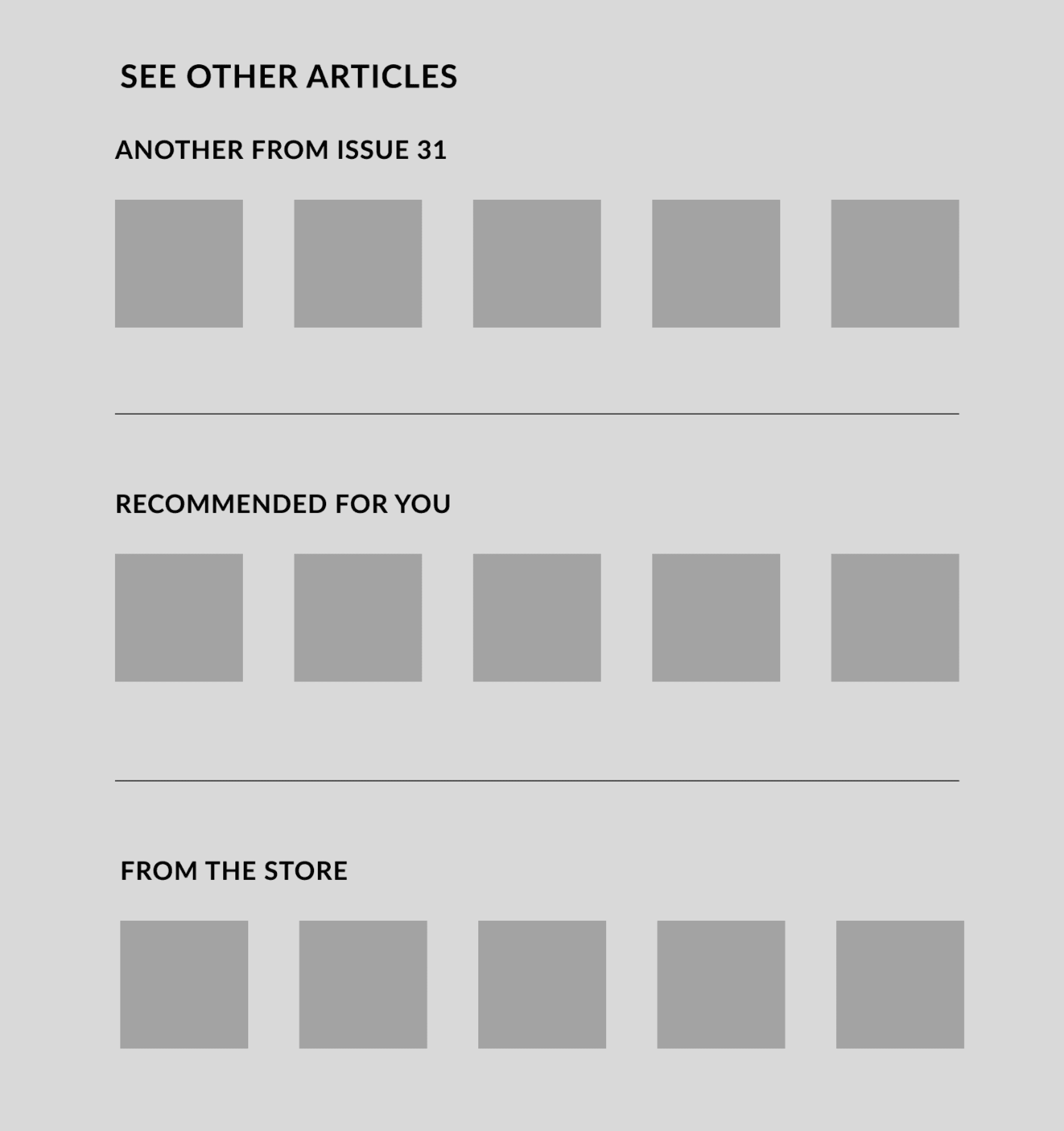
Recommendation doesn't need too much info!
Before
We first tried a single carousel row that included a lot of text details alongside the posters. This made recommendations feel dense and distracting, breaking the searching flow.
After
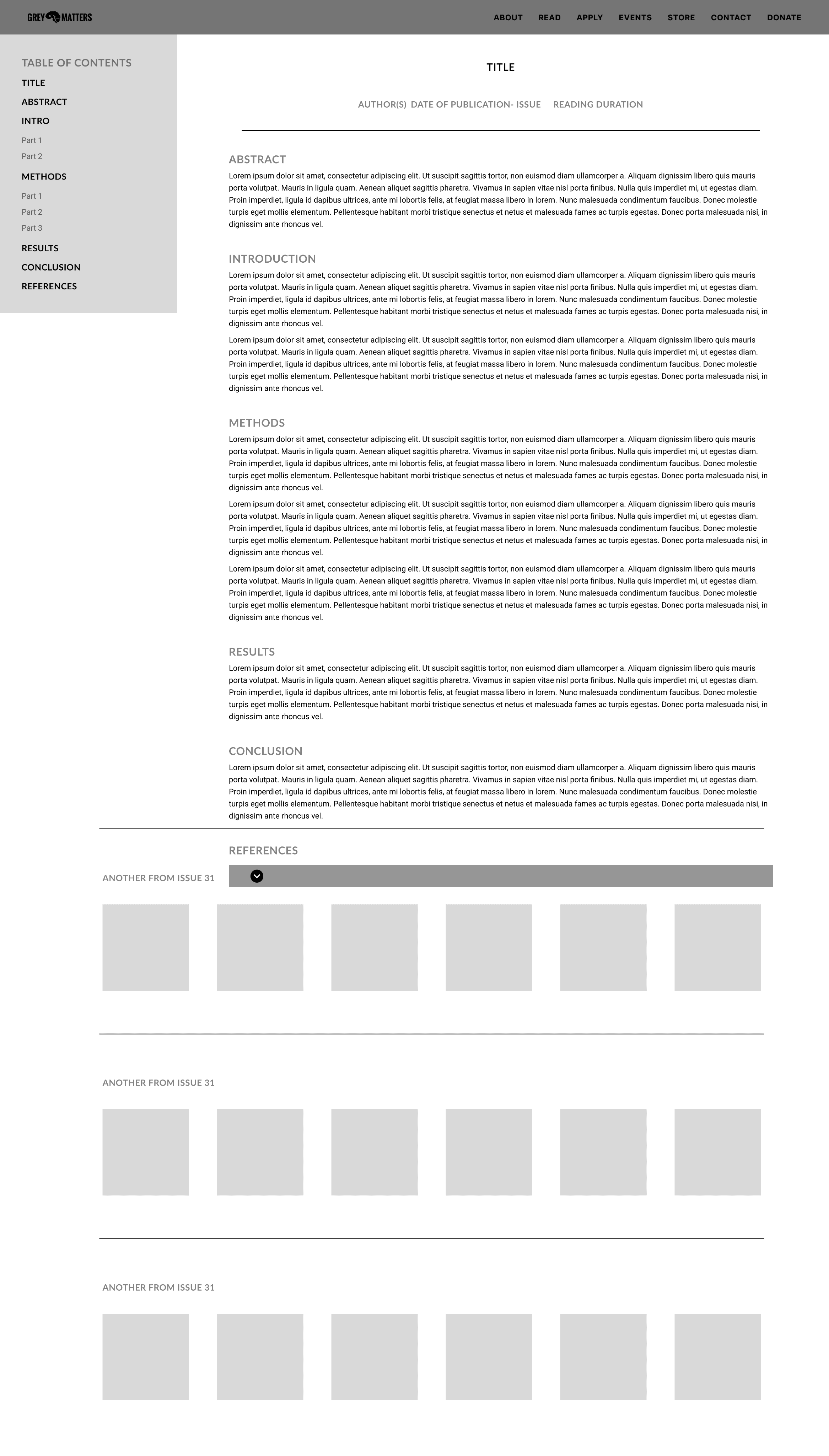
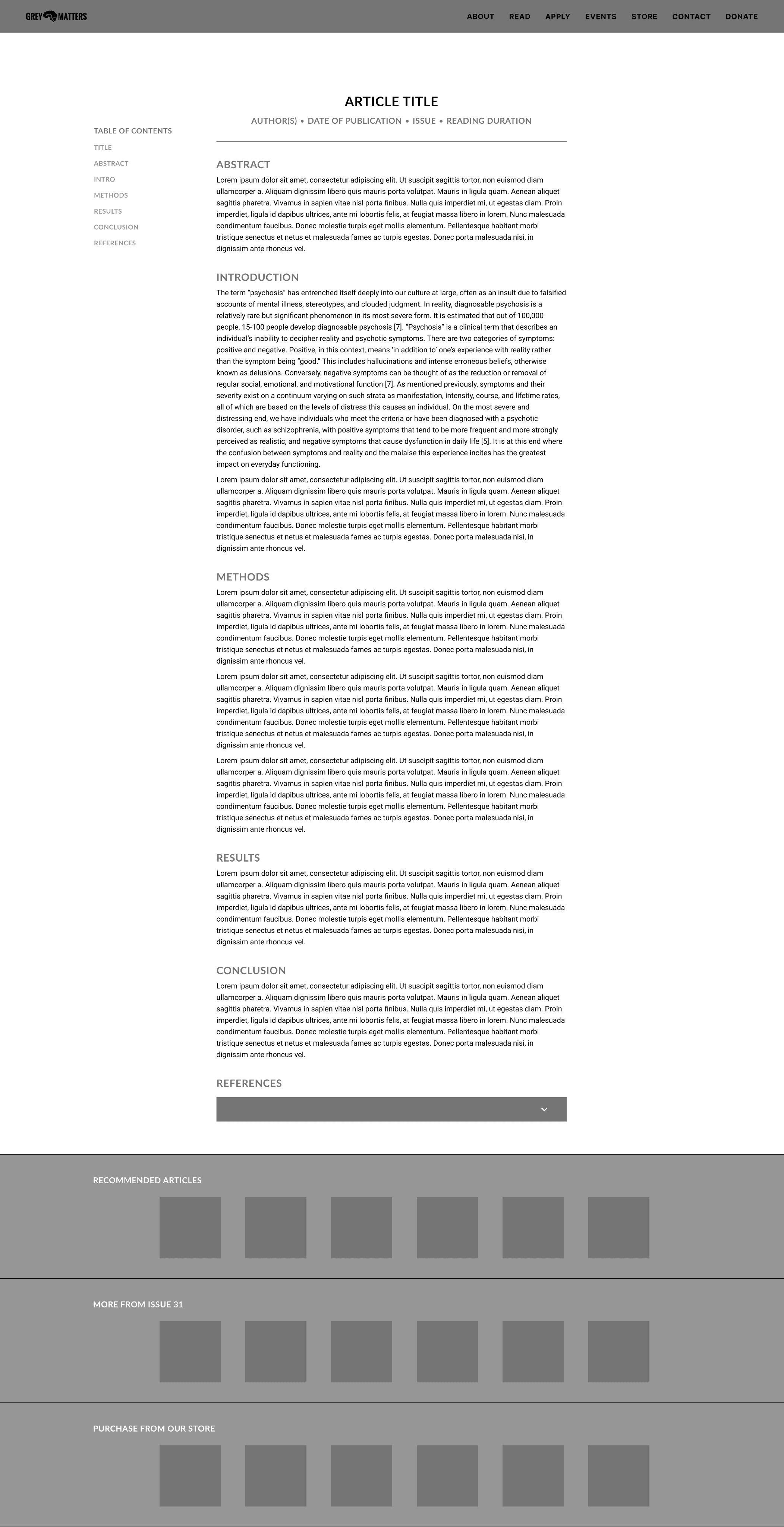
We simplified the layout into three poster-only carousels (Similar Articles, From the Same Issue, and From the Store) to test a cleaner, more focused recommendation structure
Let's connect the dots
Evolution of Reading Screen
DESIGN SYSTEM
Designing for Consistency & Scalability
As part of this project, I collaborated closely with fellow designers and our design lead to refine and expand Grey Matters’ design system, ensuring strong consistency across the platform.
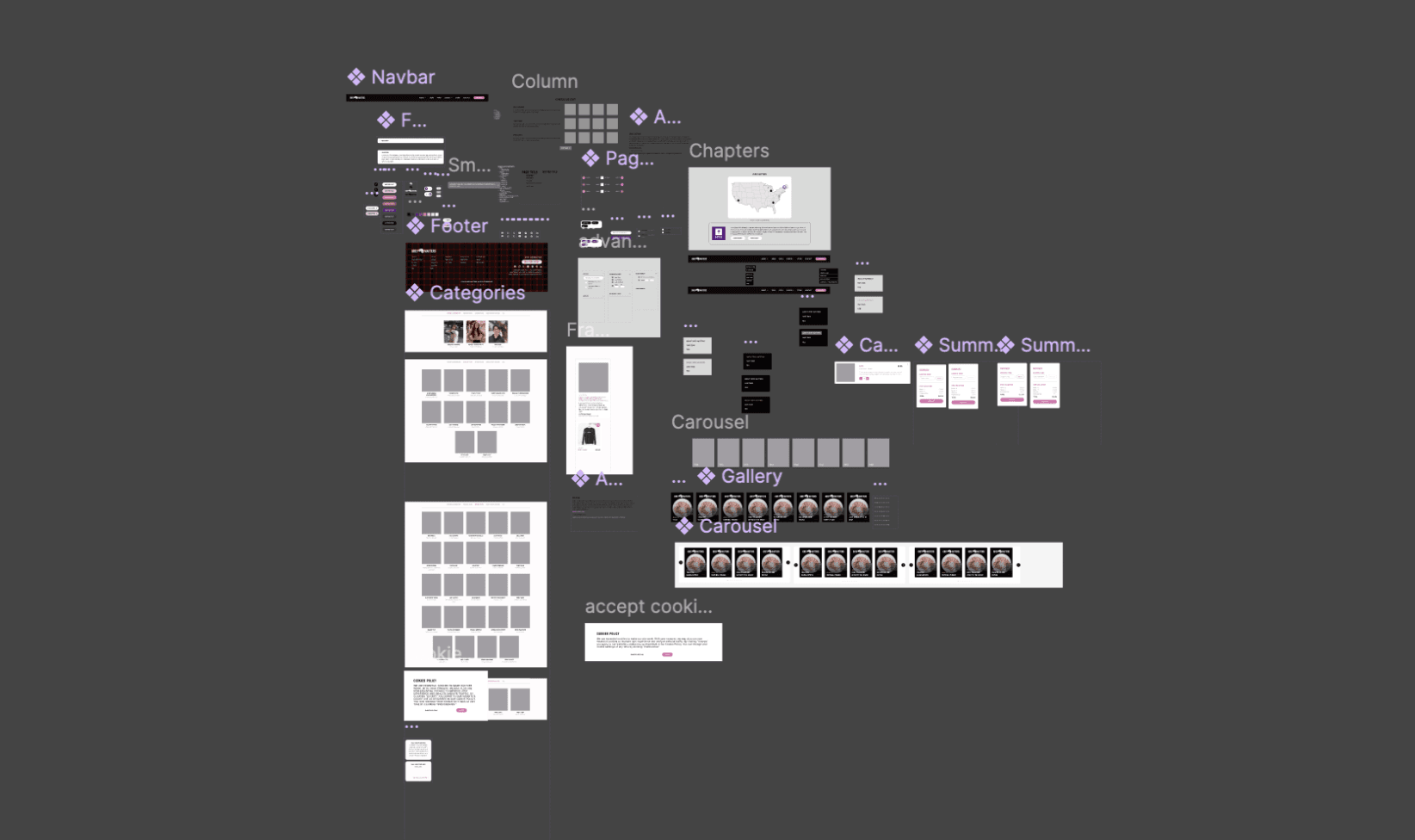
In total, our team established and standardized 30+ reusable components for the website, significantly reducing reliance on open-source elements and providing developers with a more reliable, maintainable, and scalable implementation framework.
WORKING WITH DEVELOPERS
Throughout this project, I also strengthened my adaptability and learned how to confidently advocate for my ideas and design decisions when collaborating with developers.
Throughout the process, I maintained consistent communication and a strong working dynamic with developers to prevent unnecessary rework and ensure clarity around every feature I designed. This open collaboration allowed us to discuss alternatives based on technical feasibility and brainstorm solutions together.
Through this, I learned how to balance advocating for my design decisions with staying receptive to developer input, especially when certain ideas exceeded their technical constraints. This strengthened my flexibility and helped me become more comfortable adapting designs down to the pixel when needed.
FINAL DESIGN
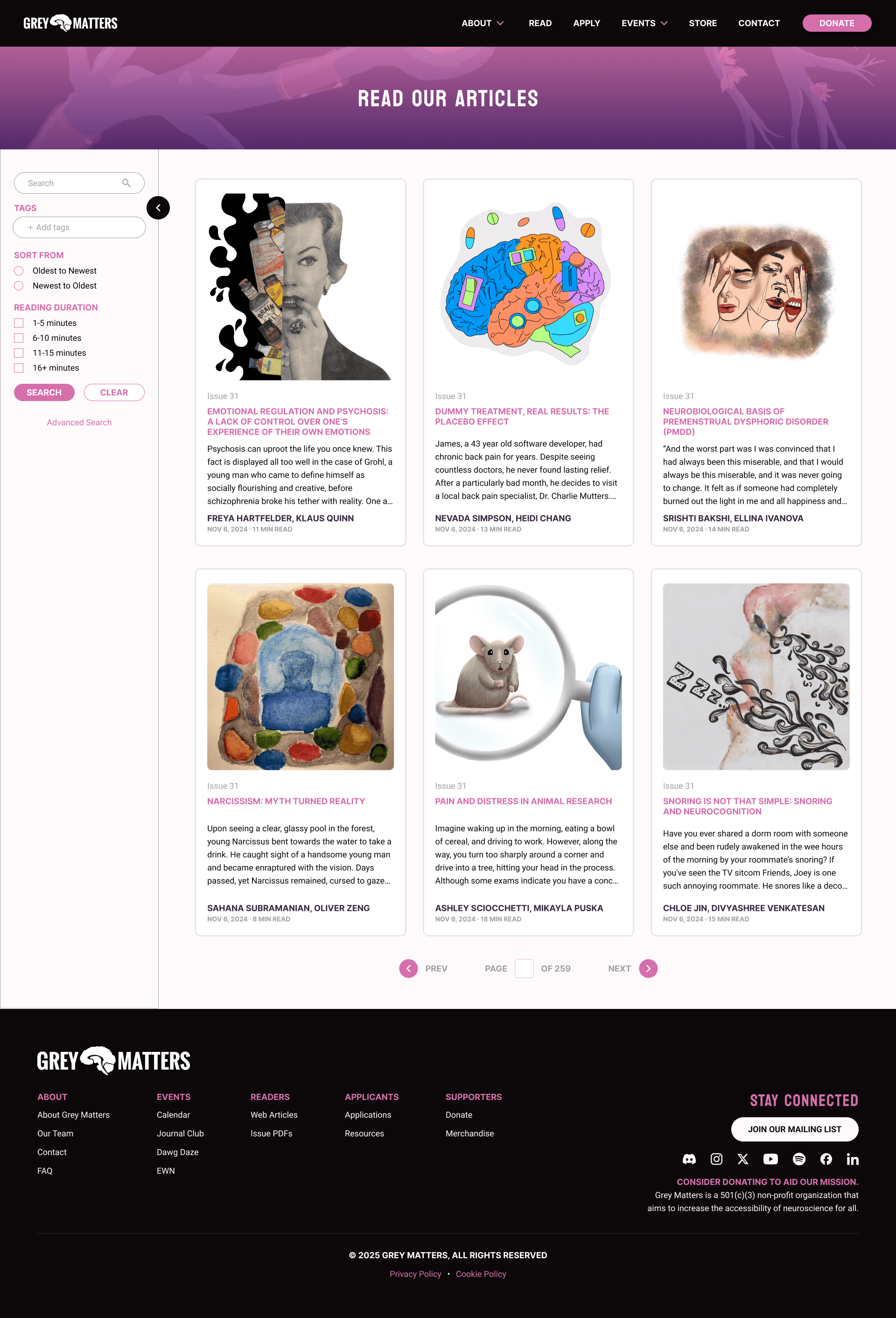
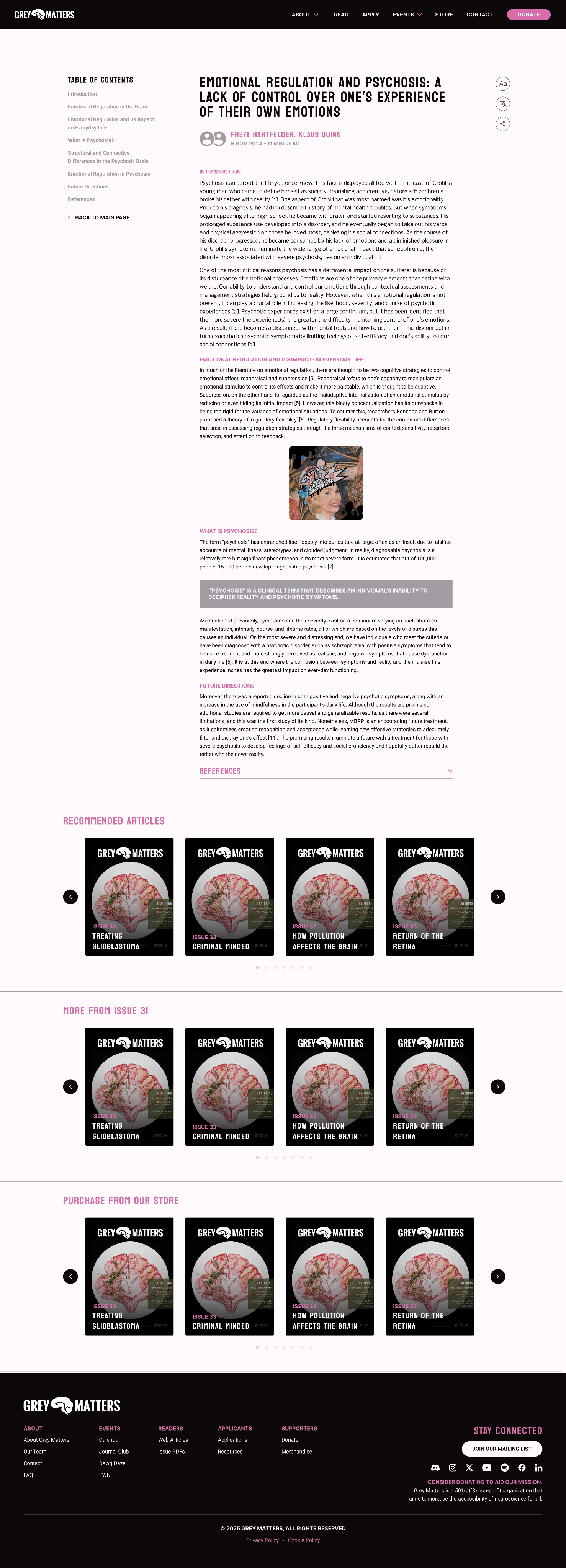
METRICS OF SUCCESS
To ensure the redesign truly supports Grey Matters’ mission of making neuroscience accessible and enjoyable, I defined clear metrics tied directly to user needs and our design goals.
Continuous Engagement
Recommended-article interactions show whether readers stay curious after finishing an article.
Click-through rates
=
Users feel motivated to keep exploring neuroscience
Findability & Efficiency
Because users struggled to discover articles, I measure:
Time spent searching
Filter usage
=
Improved discoverability means less frustration and more reading.
Inclusive Readability
Accessibility features (like language and font toggles) help diverse readers feel supported.
More frequent use of these tools indicates higher comfort and longer reading sessions.
REFLECTIONS
Here are things I learned and what I would do if I have more time…
Get more in touch with the users
During the project, most of our testing involved the leadership team and internal stakeholders, since their deliverables were crucial. While this gave us useful feedback, I wish I had more time to test directly with readers to gain deeper insights into how they would use the reading feature. We once considered recruiting readers through social media, but time and stakeholder priorities shifted our focus.
Finding middle ground
This project pushed me to think both critically and creatively as a designer. I grew to enjoy the iteration process, especially prototyping microinteractions. At the same time, I learned that even small details (like a language toggle) can be complex for developers to implement. This taught me to compromise, understand constraints, and accept that the final product may not always be 100% perfect.
BONUS
Design critique sesh w/ stakeholders :D
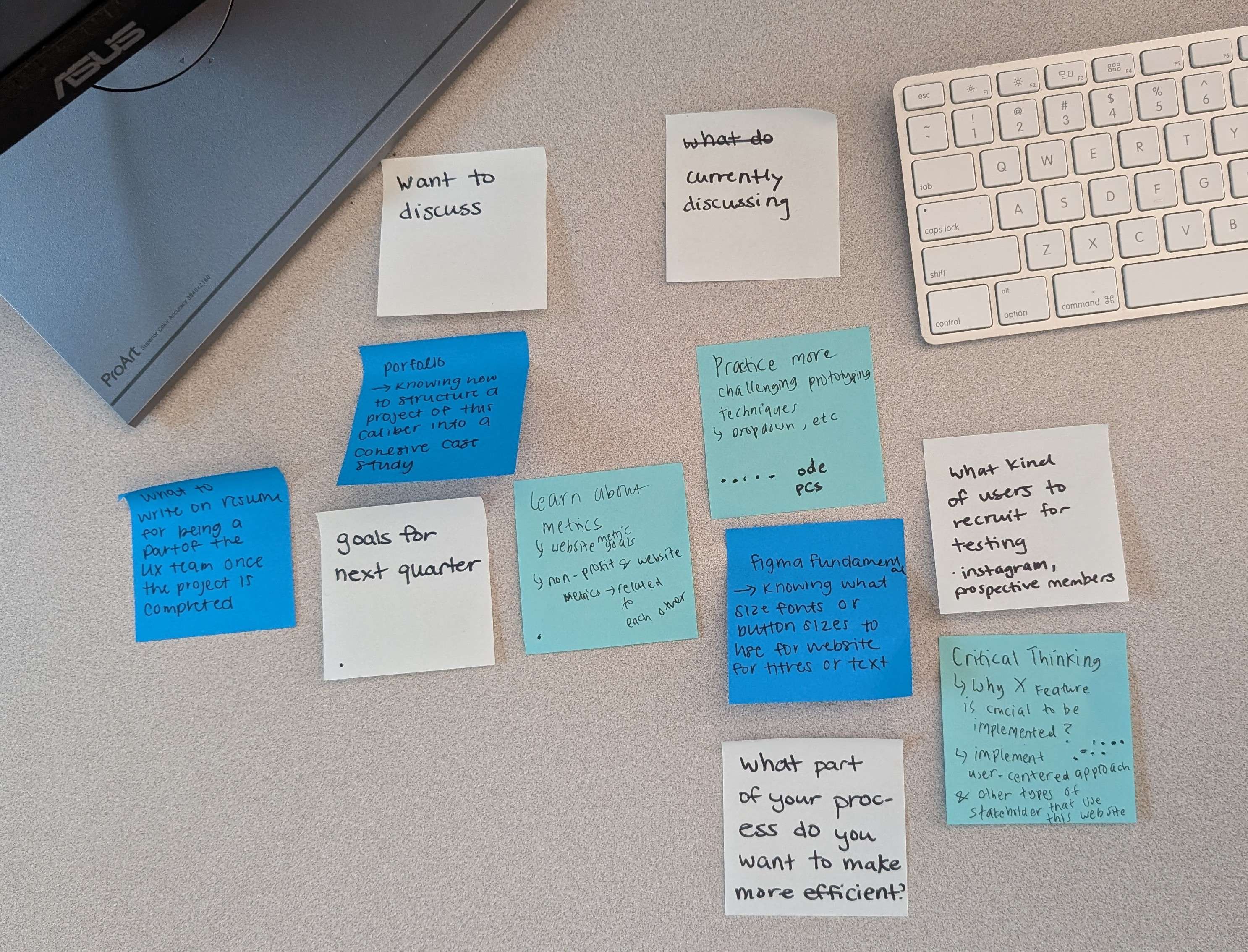
Brainstorming our plan for post-winter break
SEE ANOTHER PROJECTS